
 Free browser extension
Better AI prompts, as you type
Prompt Coach shows what your prompt is missing before you press send, and helps you fill the gaps in a click.
- ChatGPT
- Claude
- Gemini
- Copilot
- Microsoft 365 Copilot
- Perplexity
Free, no account needed. Your prompts never leave your browser.
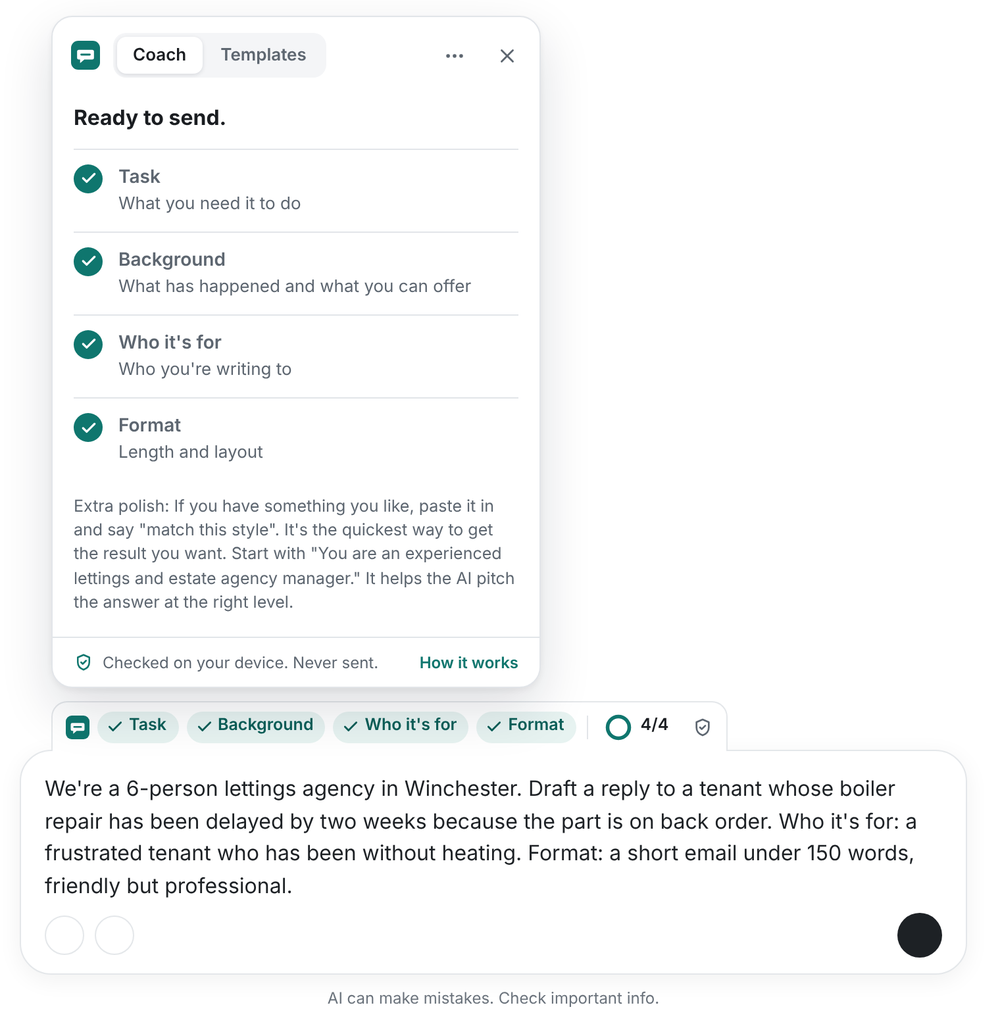
See it work
From vague to ready in 30 seconds
How it works
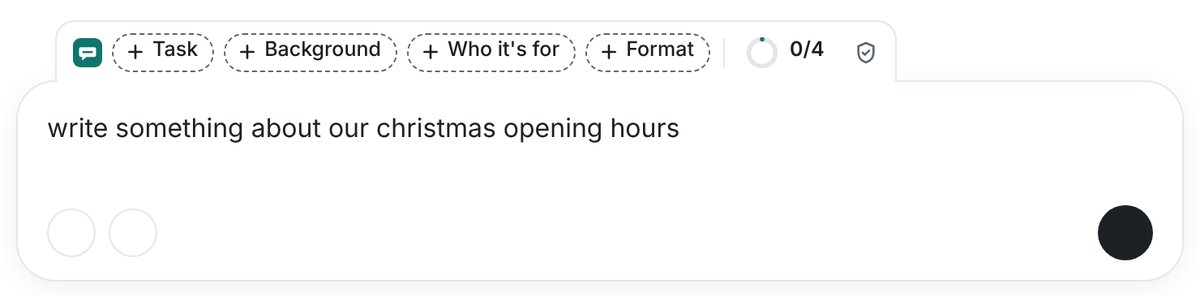
Good answers need four things: the task, some background, who it's for and the format.
Add it to your browser
Install it from your browser's store. No sign-up.
Type as normal
Each part ticks off as you go, up to 4 of 4.
Fill the gaps
Click what's missing to add a line, then press Tab to jump between gaps.
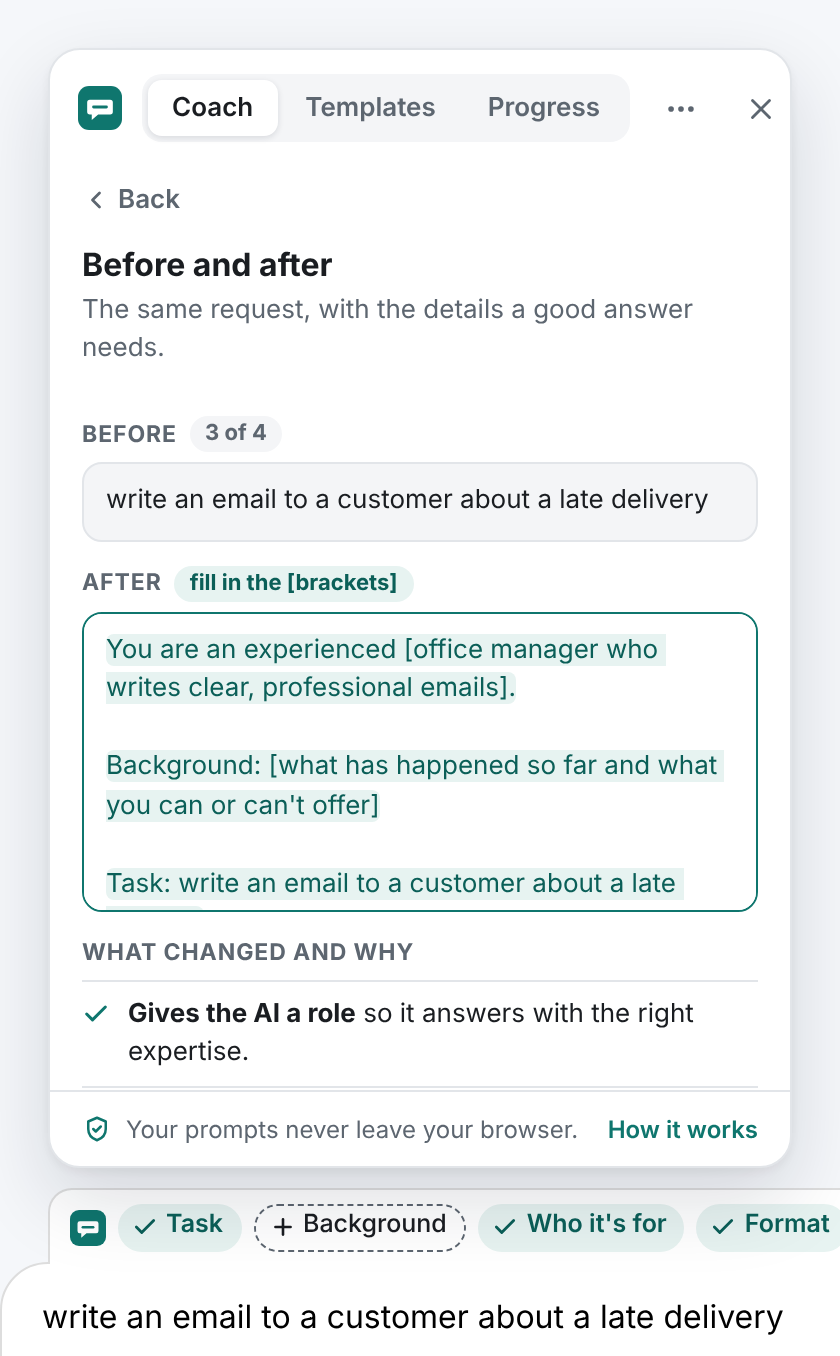
New: before and after
See exactly what makes a prompt better
Put your prompt next to an improved version, with a one-line reason for every change. Use it straight away, copy it into a new chat or keep it as a template.
You learn what good looks like by seeing it on your own work.
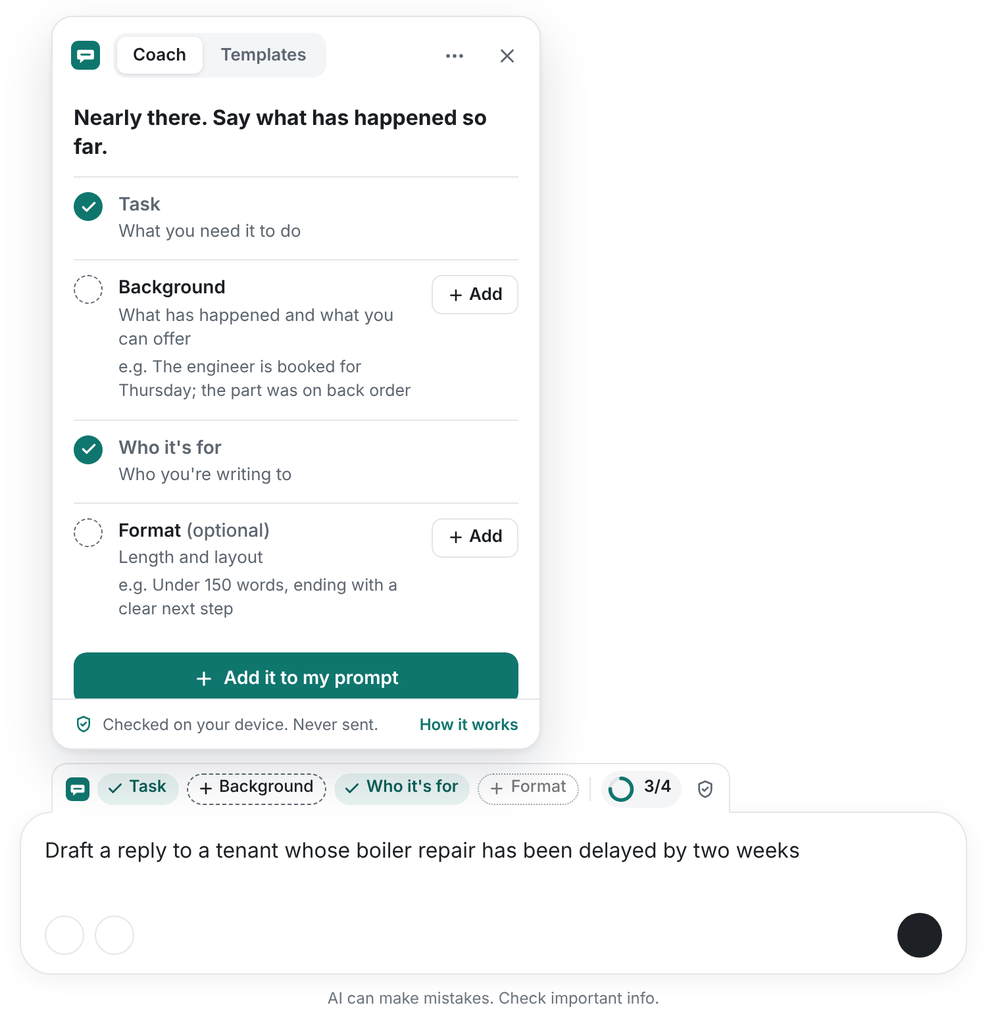
Tips that fit
Advice that changes with what you're writing
Planning a holiday gets different suggestions from a customer reply or a VAT question. Simple questions are left alone.
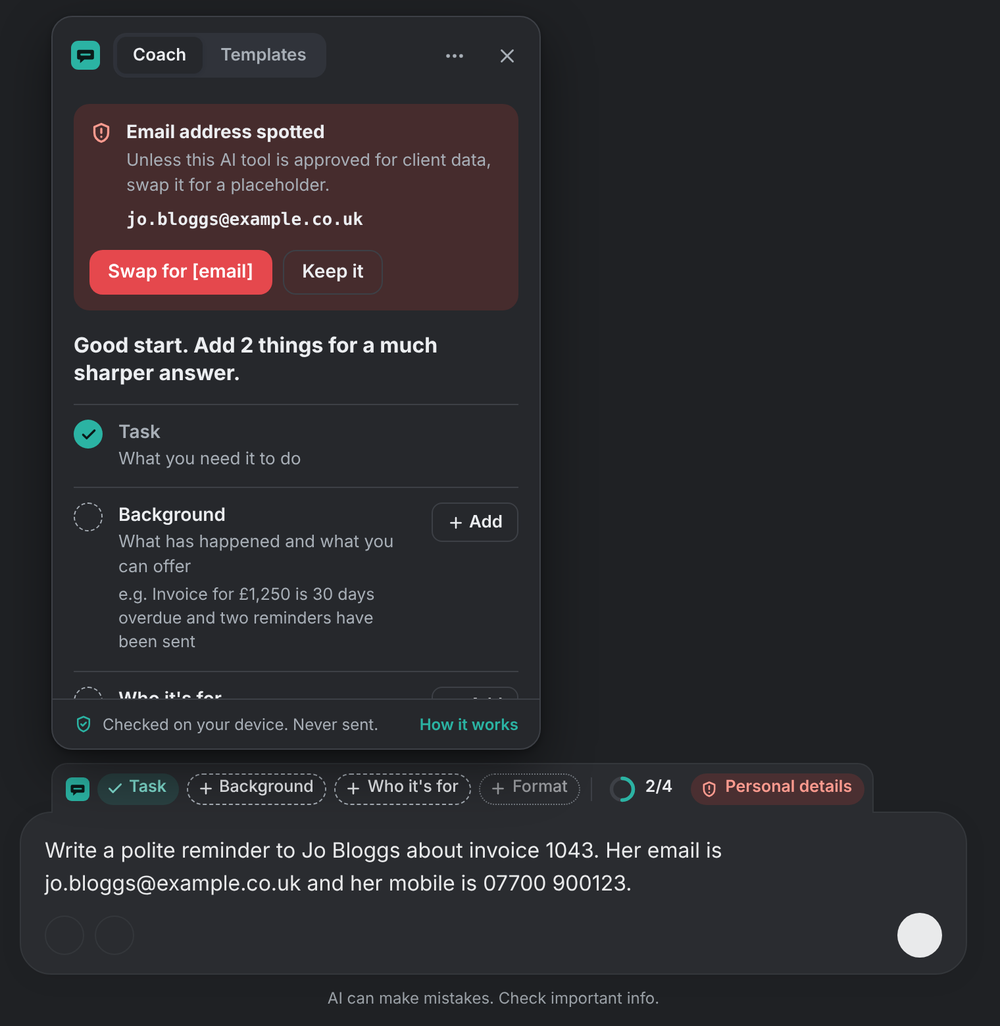
Private by design
Your prompts stay in your browser
- Checked on your device, never sent to us
- Warns before names, email addresses, phone numbers or bank details go in
- One click swaps them for a placeholder like [email]
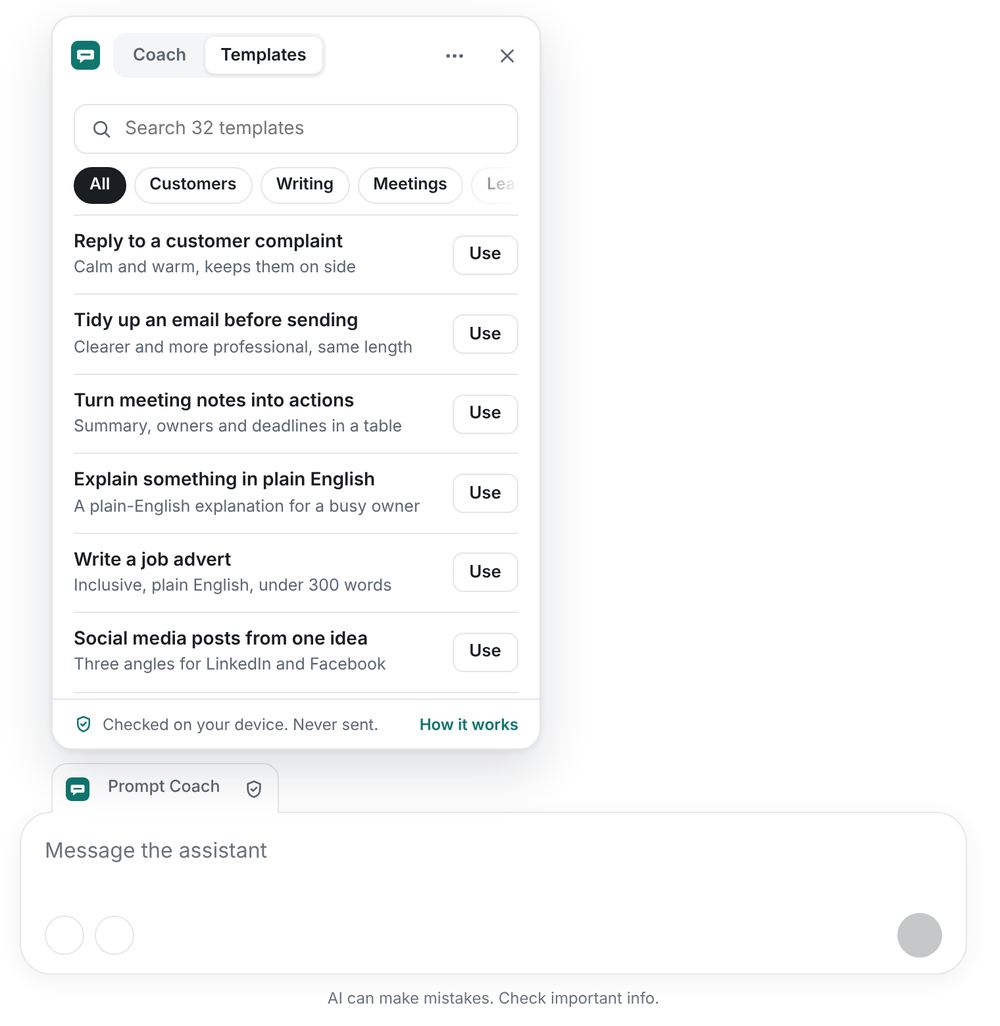
32 templates, plus your own
Ready-made prompts for UK businesses
Complaint replies, invoice chasers, job adverts, meeting notes and more. Eight are free straight away and the rest unlock free with your email.
Write a prompt you'll use again? Save it as your own template. It stays on your device.
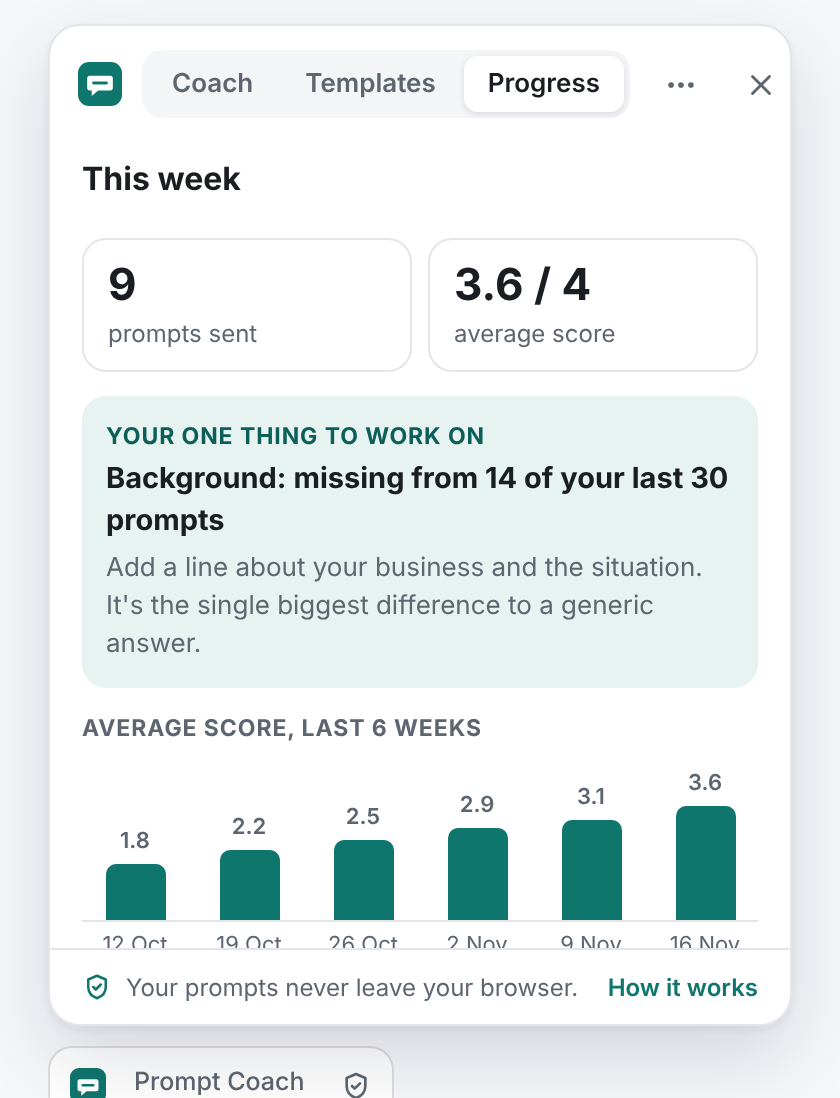
New: progress
Watch your prompts get better
The Progress tab shows how many prompts you sent this week, your average score and the one part you most often leave out, with a tip to fix it.
Kept on your device. We never see it.
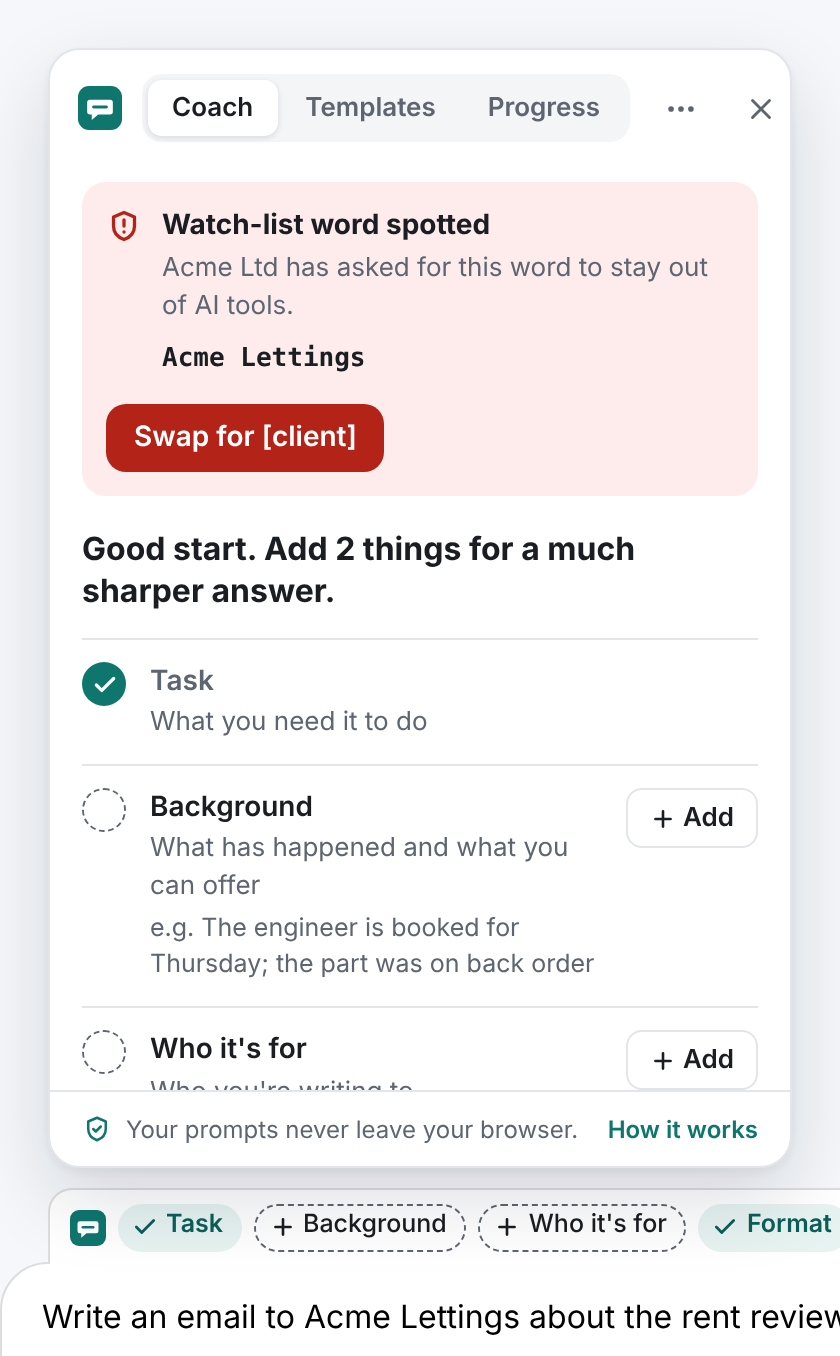
Prompt Coach Team edition
Everything in the free version, set up for your firm. It comes with our half-day AI training.
Your own templates
Built with your team from their real work during the session.
Your brand voice
One click adds your tone and house style to any prompt.
Client names kept out
A watch-list flags client names and project codes before they go in.
Your data rules
Choose a warning, or require personal details to be swapped before sending.
Add Prompt Coach to your browser
Free for Chrome, Edge and Firefox, and other Chromium browsers such as Brave and Opera. Safari is on the way.
Questions
Is it really free?
Yes, for anyone using it on their own. There's no account, trial or payment. Team edition, for businesses that want their own templates and data rules, comes with our AI training.
Does it read my chats?
No. It only checks what you type in the chat box, on your own device. It never reads the AI's replies or sends your prompts anywhere.
What does it store?
Your settings, any templates you save and your progress figures, all in your browser's own storage on your device. Progress counts scores, never the words of your prompts. The only things we ever receive are your email address, if you choose to unlock the full template library, and a licence key if your company uses Team edition.
Which AI tools does it work with?
The web versions of ChatGPT, Claude, Gemini, Microsoft Copilot, Microsoft 365 Copilot Chat and Perplexity, in light and dark mode. It doesn't work inside phone apps or desktop apps.
Which browsers?
Chrome, Edge and Firefox on desktop, plus Chromium browsers such as Brave and Opera. Safari is coming soon.
How does Team edition work?
We build your team's templates and settings with you during a half-day training session, then give you one licence key for your team. Everyone types it into Prompt Coach once.
Want your whole team using AI properly?
We run free prompt clinics and hands-on half-day sessions for small businesses in Hampshire and Dorset.
Prompt Coach is an independent product by Chimpare Designs Limited and is not affiliated with OpenAI, Anthropic, Google, Microsoft or Perplexity.