AI technology has burst into our reality, a dynamic force rewriting industry rules worldwide. AI use cases and at the forefront of this revolution?
The UK is becoming increasingly pioneering. Forward-looking government backing, a lively tech scene, and excellent research facilities are helping the UK to lead the way and secure its position as a world innovation hub.
There’s nothing quiet about how AI innovations are moving from the laboratory to become part of daily life in the UK popping up everywhere from how to accurately diagnose a medical condition, to shopping recommendations tailored to users, and helping make city living easier.
It’s no accident that this penetration is so wide; it’s a sign of how committed a nation is to using AI to drive progress, manifest in an explosion of homegrown start-ups, strategic investments and game-changing partnerships across public and private sectors.
Step beyond the hype and into the tangible: this blog is your exclusive pass to unlock the UK’s top 10 AI use cases. We will delve into how these game-changing technologies are disrupting major sectors, bringing tangible results and shaping the AI future in Britain.
Whether you’re a business leader shaping new businesses and policies, an investor evaluating the impact on tech powered products and services, a disruptor thinking about the implications and opportunities, or a gadget-lover who needs to understand real-world use cases, this is the only book you’ll need to read to learn what AI technology means for your life.
AI innovations is turning the UK on its head. It’s not science fiction anymore. We see it as a tool to help people make better decisions, work more efficiently, and to make life easier for people in healthcare, agriculture, banking, e-commerce and other industries. So let’s look at some of the main ways the UK stands to gain from AI.
Boosts Business Efficiency AI enables companies to automate repetitive tasks, process large volumes of data and offer better service to customers via chatbots and virtual assistants.
Improves Healthcare Services The UK’s healthcare system is becoming faster, more accurate, and patient-friendly, from early disease detection to personalised treatment plans and AI-powered medical imaging.
Strengthens Financial Security AI tools of fraud detection systems and risk management tools help banks and financial institutions protect customers and detect suspicious activity in real time.
Promotes Smarter Farming Farmers in the UK use technology, including precision agriculture, AI-powered drones and automated soil monitoring to boost crop yields and reduce pollution.
Enhances Public Safety AI is also applied in public safety sectors, including smart surveillance, emergency response, and crime prediction, to keep the community safer.
Supports Clean Energy Solutions AI fine-tunes energy grids, predicts energy needs and aids in more efficiently administering renewable sources such as wind and solar.
Improves Transport and Logistics From AI-powered traffic management systems to autonomous delivery vehicles, transportation in the UK is becoming faster, safer, and more efficient.
Creates New Job Opportunities: Even as AI takes away empirical jobs, the increase in AI requires new jobs such as AI developers, data analysts, cyber security specialists and digital transformation engineers.
Enables Personalised Shopping Experiences: Retail firms employ AI to deliver personalised product recommendations, optimise inventories and enhance customer satisfaction.
Contributes to Environmental Protection: AI models help predict natural disasters, monitor air and water quality, and design eco-friendly solutions for a cleaner, greener UK.
Explore the top 10 AI use cases revolutionising industries across the UK. Discover how these AI benefits innovations bring real benefits, from more competent healthcare to safer financial systems.
1. AI in Financial Services
Fraud prevention is among the banking sector’s primary uses of artificial intelligence. Since fraud detection methods depend on predefined rules, they might not match crooks’ changing strategies. Driven by AI research, though, systems constantly learn from transaction patterns and anomalies.
Another essential use case is in customer service automation. Today, a considerable share of customer questions are being handled by AI-powered chatbots and virtual assistants.
Barclays has unveiled Clyde, an AI-powered chatbot that allows users to monitor balances, track purchases, and receive daily financial support 24/7 without human interaction.
AI is applied in wealth management to generate customised investment suggestions based on individual risk tolerances, financial objectives, and market circumstances. By recommending customised portfolios, digital platforms like Nutmeg and Moneyfarm help open investment possibilities to regular consumers using AI.
Benefits:
Improved fraud detection accuracy
Faster, 24/7 customer service
Personalised financial advice
Reduced operational costs for banks
2. AI in Agriculture
High-tech AI innovations isn’t often associated with farming, but the sector is utilising it to its full potential in the UK. Farmers increasingly use AI drones, data analysis, and machine learning techniques as precision farming gains traction.
AI tools is likewise altering farmers’ predictions of agricultural production. AI systems estimate crop yields by analyzing data from weather sensors along with satellite imagery and historical harvest records.
When farmers efficiently manage their pesticides, fertilisers and water resources they can achieve better crop quality along with sustainable farming methods.
AI also helps with other things besides crops. Livestock farming is getting a boost, too. Smart sensors and image recognition tools monitor animals’ health and behaviour. If there’s a change in how they’re eating, moving, or even their body temperature, farmers get an early warning and can act fast to prevent bigger problems.
Benefits:
Higher crop yields with optimised resource use
Early disease detection in plants and animals
Reduced waste and environmental footprint
Data-driven decision-making for farmers
3. AI in Retail
UK retailers are turning to artificial intelligence in brick-and-mortar stores more than ever, especially now, when faced with heavy online competition and changes in consumer needs. AI innovation in retail simplifies jobs such as inventory management and reduces the in-store and online shopping process.
AI can forecast requirements by analysing seasons, promotional events, historical sales, etc., helping retailers maintain the proper inventory levels and avoid problems like overstocking or running out of stock. It provides real-time information about availability and delivery schedules for when products are needed and must be restocked.
AI applications include self-service checkouts and tracking store inventory levels. Some supermarkets test cameras and sensors that observe product flow and automatically update inventory.
Benefits:
Highly personalised customer experiences
Improved inventory management and reduced waste
Enhanced logistics and supply chain visibility
Increased sales through targeted promotions
4. AI in Energy
With sustainability and carbon reduction as the UK’s leading priorities, AI is more critical in better managing energy and fostering renewable energy sources. This involves private energy companies, government initiatives, and more. All are adopting AI to become smarter in distributing energy, making forecasts, and managing infrastructure.
AI algorithms can analyse factors like weather patterns, consumption trends, and the capacity of the grids to distribute energy optimally in real time. Such distribution would entail no energy wastage and a more stable supply, especially during peak periods.
In residential and commercial properties, smart meters and home management systems powered by AI optimise energy consumption. They achieve this by adjusting heating, cooling, and lighting according to occupancy and time of day.
Benefits:
Reduced carbon footprint
Optimised energy consumption and distribution
Lower operational costs for energy providers
Enhanced grid stability
5. AI in Healthcare
Healthcare is a field that is seeing great success and impact from AI innovations in the UK. AI is revolutionising patient care, from increased diagnostic precision to better hospital resource management and customised treatment regimens.
AI in health care, like Babylon Health, provides virtual consultations by looking at patient symptoms and medical history to give a first diagnosis and treatment recommendations. This, in turn, puts less strain on NHS services and increases access to health care.
In pharmaceutical research, which is at the forefront of drug discovery, AI is used to identify what may become effective drugs by analysing large sets of molecular and clinical trial data. Exscientia is leading this AI research in the UK.
Benefits:
Faster and more accurate disease diagnoses
Improved patient triaging and hospital efficiency
Accessible healthcare through AI chatbots
Accelerated drug discovery and clinical trials
6. AI in Smart Cities
The UK is entering the smart city arena. It’s all about using AI innovations to boost transportation, keep us safe, and better manage the environment. London, Manchester, and Bristol are at the forefront of this exciting change.
Take waste management, for instance. They’ve got these clever systems that use AI tools like sensors to monitor bin capacity. It’s pretty neat! This way, they can plan collection routes more efficiently, which means less fuel consumption and lower carbon emissions.
And then there’s the lighting, which is interesting too. They’ve introduced smart streetlights that adjust their brightness depending on foot traffic and the roads’ busyness. Both improved public safety and more efficient energy use are advantageous.
Benefits:
Decreased pollutants and traffic jams
Enhanced public safety and emergency response
Efficient waste management
Lower operational costs for city councils
7. AI in Manufacturing
Manufacturing remains rather vital for the British economy. AI is undergoing considerable transformation in factories. Once producers begin employing artificial intelligence on their production lines, it is like flipping a switch; they may operate more efficiently, minimise downtime, and save costs. Seeing its influence is just incredible.
Predictive maintenance is one interesting application of AI. Generally, maintenance occurs on a regular schedule or when something breaks, even if it is not required.
But with AI tools, sensors track machines continuously. Therefore, teams can spot probable component failure. This enables them to solve problems before they result in any downtime.
AI assesses data from many sources, including machine operations, supply chains, and market demands, to help with production planning and inventory management. Often employed for hazardous or repetitive tasks, cobots (robots operating alongside people) enable the development of safer and more uniform workplaces.
Benefits:
Minimised unplanned downtime and repair costs
Enhanced product quality and consistency
Safer working environments
Streamlined supply chain and inventory operations
8. AI in Education
AI is changing the way we manage inventories and production scheduling. Examining information on supply networks, market demand, and machine performance helps establish the ideal manufacturing schedules.
In the UK, schools are going through a digital shift, with AI added to teaching, learning, and admin tasks. This tech makes education more personal and accessible for both students and schools.
Through AI chatbots and virtual tutors students can request details about their assignments and campus events to enhance their educational experience.
Teachers can focus more on teaching and helping students when AI takes charge of repetitive administrative tasks.
Benefits:
Personalised, student-centric learning paths
Quicker, data-driven academic feedback
Automated administrative tasks
Increased student support and engagement
9. AI in Customer Service
UK customer service activities now depend heavily on AI technology to help companies achieve outstanding customer experiences. Organizations are now implementing AI technologies including chatbots and recommendation systems to interact with their customers.
Call centres deploy AI with sentiment analysis to achieve accurate responses and improve service quality. This gives human agents real-time prompts and assists in identifying customer emotions during discussions.
Benefits:
24/7 customer support availability
Faster query resolution and reduced waiting times
Improved customer satisfaction and loyalty
Lower operational costs for businesses
10. AI in Fraud Prevention
In the UK, a surge in digital transactions raises the risk of fraud and cybercrime. Fortunately, artificial intelligence helps maintain security by catching fraud before it damages our financial systems.
Banks and fintech firms are using machine learning to examine transaction history, spending patterns, and user behaviour as they happen. The system flags or immediately prevents the transaction if something seems unusual, such as a significant withdrawal from an uncommon location.
These artificial intelligence solutions also help companies comply with the law by identifying possible money laundering operations and ensuring organisations adhere to strict financial regulations.
The British are building AI and using it for good, whether in farming, smart cities, health care, or finance. With AI research and implementation, it makes businesses run more efficiently, customer service more effective, and companies able to tackle challenging societal problems.
Enterprises of all sizes should explore AI technologies to stay relevant and lead their industries. Artificial intelligence seems well-placed to play a significant role in the UK’s digital future by working with the government, industry, and academia.
There is also the massive promise of AI down the road. New areas, such as AI ethics, explainable AI, and using AI to combat climate change, are also beginning to catch on. These areas address significant challenges while ensuring AI is safe, transparent, and fair.
Organisations of every size should consider AI solutions to stay on par with and even ahead of their markets. Government, business, and academia are joining to make AI a driving force in building the UK’s digital future.
AI will help build smarter cities, improve healthcare, modernize transport, and boost business innovation making everyday life more efficient and connected.
The UK’s top AI adopters include healthcare, finance, retail, agriculture, transport, and energy, with AI helping improve efficiency, safety, and customer experiences.
Found this post insightful? Don’t forget to share it with your network!
Companies looking to get ahead must have a user-friendly web application. You already know that selecting the right development partner can make or break your idea. If you are a UK business willing to go digital, rebuild your online presence, or create a web app from scratch. The UK’s driven approach and expanding technical environment make it home to some of the top web application development companies worldwide.
Combining technical know-how, imaginative thought, and business sense, these companies assist companies in turning ideas into useful, high-performance digital goods, ranging from custom web applications to corporate-level solutions.
Having the appropriate web application development partner on your side is essential, whether you are a small firm with a grand vision or a large corporation trying digital transformation. Choose the ideal web development partner to make all the difference, whether you’re starting a new company, expanding an established one, or trying to enhance customer experience.
The difficulty of creating a web application is well known. It takes the right technology and a development partner to understand your business goals. And if you’re in the UK, you’re in luck because there are some fantastic web app development companies out there.
But with so many options out there, finding a reliable web development partner can help you make an informed decision. We’ve handpicked 10 of the top web application development companies in the UK that have been making waves in 2025 with their tech skills, client success stories, and solid reputations.
Looking for a reliable team to build your next web application?
Let’s first define web application development so that we can quickly understand what we mean before diving in. To put it simply, it is the process of creating application software that is compatible with web browsers.
Web apps perform activities and provide interactivity, in contrast to static websites. Examples include booking tools, online banking applications, project management systems, and SaaS platforms such as Slack or Trello.
Often replacing the necessity for conventional desktop programs, these applications exist online and may be reached via a browser. Normally developed with languages including JavaScript, HTML5, CSS, Python, PHP, or frameworks such as React, Angular, or Vue, web apps often make use of these languages.
Examples of Web Applications:
Online booking systems
eCommerce platforms
Customer portals
HR and payroll management tools
Project management software
Why Does Your Business Need a Web App in 2025?
It’s 2025, and whether you realise it or not, your customers and teams expect digital convenience at their fingertips. Here’s why businesses in the UK (and beyond) are investing heavily in web apps:
Better user experience as web applications provide a quicker, more personal, and more interactive experience than static websites.
Available everywhere without installation, they function on laptops, tablets, and smartphones.
Custom web applications assist in automating internal processes, saving time, and minimising errors.
Offer services that your consumers can access anytime, anywhere, to stay one step ahead of your rivals.
Scalability is there; unlike off-the-shelf software, custom web apps can grow with your business.
Data-driven insights with integrated analytics can help you track user behaviour and business performance in real-time.
In Short: if you’re not already thinking about a web app, you probably should be.
Need a custom business platform or a smart web app?
Key Things to Look for in a Web Application Development Company
Choosing a web development partner depends not only on who has coding ability. It concerns who can grasp your company, provide useful counsel, and produce a result suitable for you.
Experience & Portfolio: Check the types of projects they’ve handled. Are they similar to what you need?
Technology Stack: Make sure they’re skilled in the latest frameworks and tools.
Communication: Transparent, regular, and clear communication is non-negotiable.
Agile Approach: Can they adapt to changes during the project?
Post-launch Support: Do they offer maintenance and future upgrades?
Client Testimonials: Real feedback from other businesses speaks volumes.
Security Standards: Especially crucial if your app handles sensitive data.
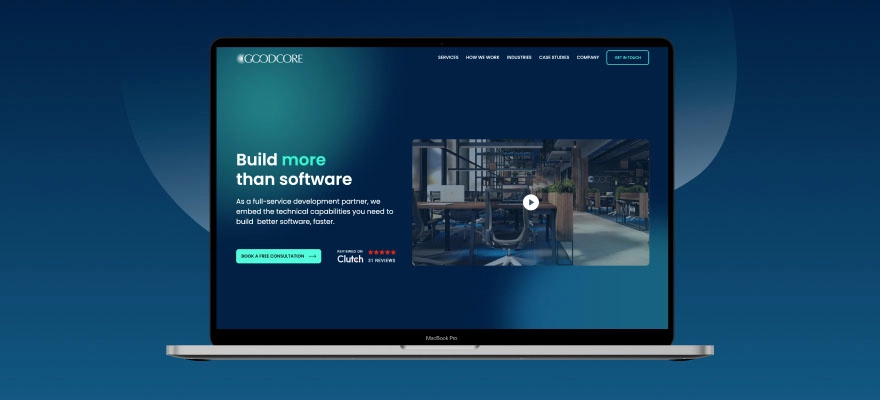
Let’s begin with GoodCore, a name that arises for all the right reasons. With almost two decades of experience, GoodCore is an expert in creating bespoke online applications for companies of every size, from financed startups to major corporations.
GoodCore is remarkable for its client-centric, hands-on approach. They collaborate with you to grasp your requirements and create reasonable, user-friendly, scalable solutions; they are not only coders.
Though they are as passionate about smaller initiatives, they have worked with the NHS, Pitney Bowes, and other major companies. GoodCore’s team provides quality, on time, whether it be a sophisticated B2B portal, a SaaS service, or an internal company tool.
Key Services:
Custom Web App Development
MVP Development for Startups
Enterprise Web Solutions
UI/UX Design
Maintenance and Support
Why Choose GoodCore Software?
Transparent pricing
Strong focus on security and scalability
UK-based project management
Stellar client reviews and long-term relationships
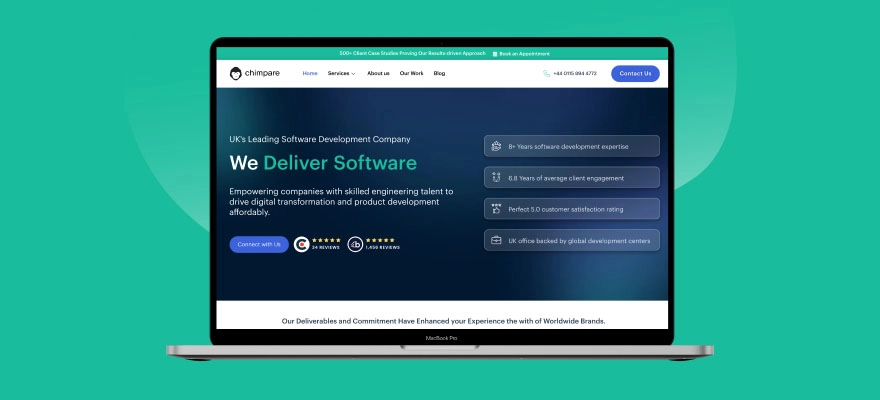
The UK software development company Chimpare has over 15 years of experience in the field. Based in Fareham, with additional locations in London, New York, Sydney, Toronto, and Dubai, they provide a full spectrum of digital services.
Its services include web and mobile app development, artificial intelligence solutions, IoT integration, and blockchain applications. Their team of more than 80 experienced developers has provided high-performing digital solutions in many sectors, including healthcare, retail, education, and logistics.
Their web application development services have notable clients are Haremi, Hexaware Technologies, Jeffcommece, Bay Leaf Digital, Boston Consulting Group, and SuperOffice.
Key Services:
Custom Web Application Development
Mobile App Development (iOS, Android, Cross-Platform)
AI and Machine Learning Solutions
IoT Development and Integration
Blockchain Application Development
AR/VR Solutions
UI/UX Design
Why Choose Chimpare?
Proven track record with over 500 client case studies.
Excellent client satisfaction, as evidenced by the 5.0 Clutch rating.
Knowledge of modern frameworks and technologies.
The agile development approach guarantees on-time delivery.
Data security and GDPR compliance are strongly emphasised.
Bespoke solutions fit both startups and major corporations.
3. Lupa
Headquarters: Mexico City, Mexico (remote across Latin America)
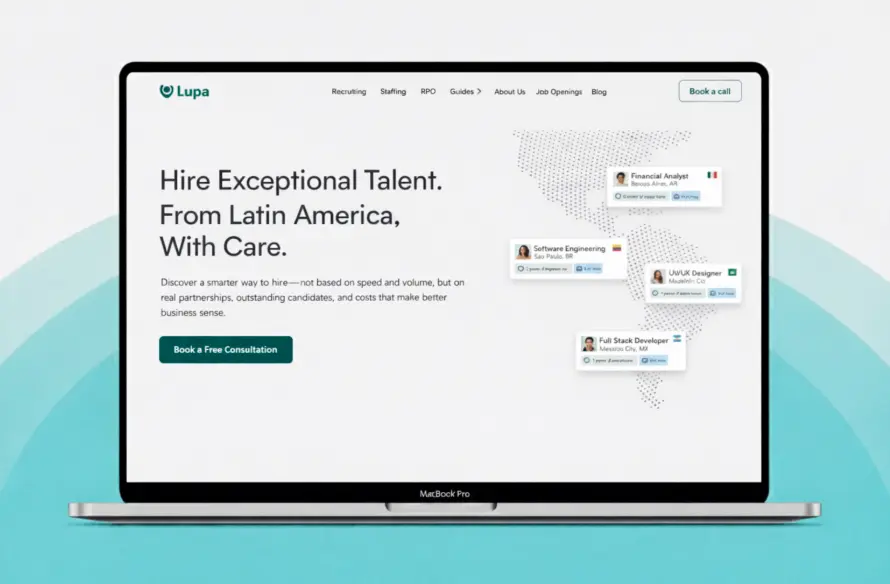
Lupa is a Latin America focused recruiting partner that helps U.S. and Canadian companies hire top remote talent across the region. The company specializes in senior technical and operational roles and uses a structured evaluation system that screens for skills, culture, communication, and remote-work readiness. Lupa’s recruiter team operates across multiple countries in Latin America, giving clients direct access to a deep, competitive talent pool without the friction of building local hiring operations.
Its services include direct recruitment, RPO programs, and staffing solutions that cover contracts, onboarding, payroll, and ongoing compliance. Clients rely on Lupa to scale engineering teams, fill challenging technical roles, and hire cost-effective senior talent while maintaining high quality. Lupa has delivered hundreds of successful hires across SaaS, fintech, healthtech, AI, devtools, and other software-driven industries.
Their clients include companies such as Deel, Remote, Centivo, Rappi alum teams, and multiple venture-backed startups across North America.
Key Services:
Senior Engineering and Technical Recruitment
RPO engagements for multi-role hiring
Staffing and contractor management across Latin America
Employer of Record services for compliant cross-border hiring
Payroll, onboarding, and HR administration for remote teams
Market mapping and compensation intelligence
Comprehensive candidate assessments, including behavioral and technical screening
Why Choose Lupa?
Specialized expertise in the Latin American talent market.
Fast and consistent candidate delivery supported by a proven recruiting system.
High satisfaction scores and long-term client partnerships with growth-stage startups.
Strong screening processes that emphasize communication skills and culture fit.
Cost-efficient recruiting for companies hiring senior talent at scale.
Full support across contracts, compliance, and remote onboarding.
A region-wide network of vetted candidates in engineering, product, design, and operations.
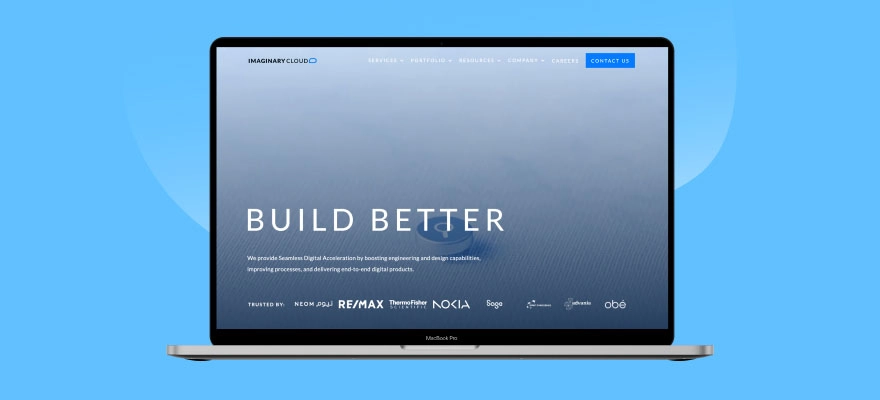
Imaginary Cloud is a name that blends creativity with tech mastery. Renowned for its elegant designs and brilliant solutions, it is perfect if you want a contemporary web application with an excellent user interface.
In addition to working with global clients like Nokia, Thermo-Fisher, and BNP Paribas, the company is satisfied with assisting startups in rapidly scaling with high-performing web applications. They use a more process-oriented approach, using agile methods and design thinking.
If you appreciate cooperation and want your project to be as user-centred as possible, they are especially brilliant.
With over 25 years of experience, DCSL GuideSmiths is one of the heavyweights in the UK’s web development landscape. Now operating under Netcompany, they’ve grown bigger and better, offering full-service software development from ideation to delivery.
They build custom web apps, cloud-based platforms, and business systems for industries like healthcare, logistics, government, and education. Known for tackling complex enterprise-grade projects, they’re the go-to for robust, large-scale web applications.
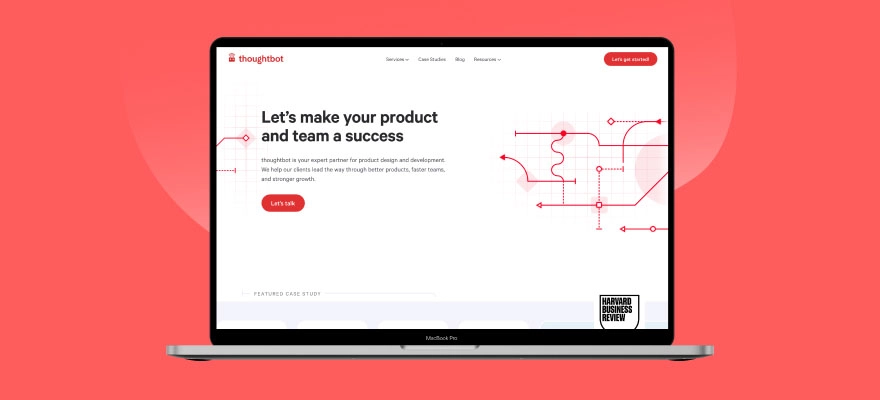
Thoughtbot brings a Silicon Valley vibe to the UK web development scene. Their team is all about lean, agile development with a strong design-first mindset. They don’t just write code; they help you validate your product idea, build prototypes, and create polished web applications that users actually enjoy.
With offices in the US and UK, they’ve worked with companies like Iora Health and edX. Their team is ideal for startups and SMEs looking for a high-quality, no-fuss build.
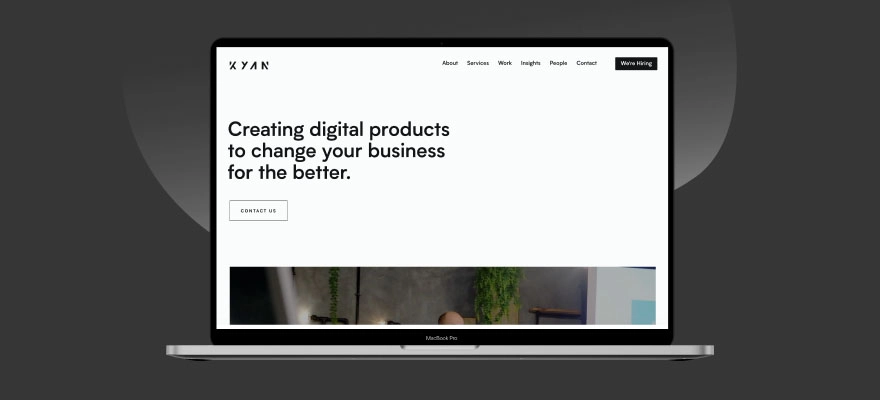
A boutique agency with a big heart, Kyan mixes tech with creativity to craft beautifully engineered web applications. Their design-first attitude and human-friendly UX design set them apart from others.
Barclays and WWF, among other well-known names, are their customers; they are proud of developing excellent digital experiences for major businesses and forward-looking companies.
Kyan emphasises partnerships. They aim to be more than just a vendor but rather an extension of your team. Their strength lies in solving real-world problems with elegant and scalable tech.
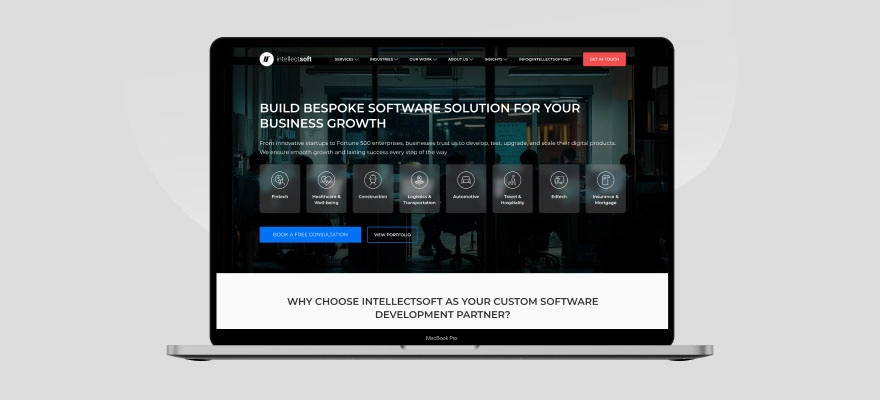
Intellectsoft is more of a global tech consultancy than a small studio, but it has a strong presence in the UK and serves clients in healthcare, fintech, construction, and more.
If you’re looking for an enterprise-level web app with all the bells and whistles, think of blockchain, IoT, or AI integrations. Intellectsoft possesses both the team and the reputation. They’ve worked with brands like Universal, Harley-Davidson, and the NHS.
Key Services:
Enterprise Web Development
Blockchain and AI Solutions
Cloud App Development
IT Consulting
Why Choose Intellectsoft?
Tech innovation leaders
Strong focus on scalability and enterprise-grade solutions
Rich portfolio across industries
Great for long-term digital transformation projects
Geeks Ltd is a major participant in the UK software development scene; don’t let the eccentric name deceive you. Known for providing excellent custom web apps and systems addressing challenging corporate issues, they have won several awards.
Their customers range from SMEs to Fortune 500 corporations; they are especially adept at assisting firms in digitalising obsolete systems or manual operations.
Digiryte is a relatively fresh and dynamic web application development company with its headquarters located in Manchester. Its emphasis on startups and SMEs gives it a distinct flavour. It produces MVPs, scalable web applications, and digital platforms that expand with your company.
Ideal for startups needing rapid turnaround and cheap pricing without sacrificing quality, their team is friendly, quick, and flexible.
Codal combines top-notch design with enterprise-level development expertise. Though originally based in the US, their UK presence has been growing steadily thanks to their results-driven approach.
They’ve worked with clients like Pepsi, United Airlines, and Motorola, but they’re also happy to work with SMEs. Their process is great, from discovery workshops and UX research to testing and scaling.
Key Services:
Web Application Development
UX/UI Design
eCommerce Platforms
Product Strategy & Consulting
Why Choose Codal?
UX-first approach
Global delivery model
Strong portfolio
Fast and efficient project execution
Benefits of Working with a UK-Based Web App Development Company
While outsourcing overseas might seem cheaper, working with a local UK-based firm has its perks:
No Time Zone Issues: Real-time communication during business hours.
Regulatory Compliance: Adherence to GDPR and UK data protection laws.
Cultural Alignment: Easier understanding of local market needs.
Face-to-Face Meetings: Allows you to meet the team when needed.
Dependable Contracts: Under British contract law, solid legal protection is available.
Pro Tips Before Your Hire:
Choosing a web application development company is a significant choice. It’s not just about price or portfolios; it’s about finding a team you can trust, one that understands your vision, communicates openly, and delivers quality work on time.
Start with a small discovery phase if you’re unsure.
Request to speak with previous clients, a good firm won’t hesitate.
Be clear about your business goals, not just features.
Get everything in writing: scope, deadlines, costs, and deliverables.
Prioritise user experience and security from day one.
Before starting, always get a detailed proposal with milestones and payment terms. Avoid vendors who give vague estimates or fixed quotes without properly understanding your project.
There you have it, a complete guide to the top 10 web application development companies in the UK, why your business should care about web apps in 2025, what’s trending in the industry, what to budget for, and how to pick the right partner.
Whether you’re launching a SaaS product, upgrading internal systems, or building a customer portal, these UK firms have the experience and expertise to bring your vision to life. And remember, don’t just pick the biggest name or the cheapest quote.
Since it depends on the requirements of your project, there is no one-size-fits-all solution. However, firms like Chimpare, Imaginary Cloud, GoodCore, and CodeFirst consistently rank among the top for their quality work, customer satisfaction, and innovative solutions.
Yes, web developers are highly in demand across the UK in 2025, with businesses of all sizes investing in web apps, eCommerce platforms, and custom software solutions to support digital transformation.
UK web development companies typically offer services like custom web app development, mobile app development, UI/UX design, AI integrations, eCommerce platforms, cloud solutions, and post-launch support.
Found this post insightful? Don’t forget to share it with your network!
By 2025, AI chatbots have really become key players in all sorts of industries. They’re changing how we interact with customers, making operations smoother, and generally improving things for users online. You see them everywhere, from helping you with customer support to even applications in healthcare. It’s interesting to see how these intelligent helpers have grown.
They’re not just answering simple questions anymore. Now, they’re helping shoppers with their preferences, offering real-time support, guiding people via websites, and even involved in issues such as mental wellness. With many options – various features, ways they can connect with another systems, and many price points – picking the right chatbot can feel a bit special.
That’s where a good guide comes in. Whether you’re running a small business, developing digital tools, or just anxious about how chatbot AI can do and create things good, the aim is to cut via the noise and show you very effective, trustworthy, and adaptable AI chatbots you can check out them in 2025.
We’ll look for the uniqueness among them, the industries where they’re registering a real impact, and how you can select the one fitting your needs best.
Let’s elaborate here how this evolving world of automation is already changing the ways -we connect.
Understanding AI Chatbots
Let us briefly explain here- how the AI chatbots transforms businesses and help humans with amazing results. But they’ve come a long way from those early, clunky versions that could only respond with pre-set answers. The chatbots in 2025 are on an entire another level.
Now, AI chatbots are developed by advanced technologies like natural language processing and machine learning, this means they are smart enough to understand what you say— not word by word but for the meaning.
Businesses looking to implement scalable conversational systems often evaluate leading AI call center companies that offer enterprise-grade support automation solutions.
They work on context, tone and human phrases, too. They reply in much human style.
For example, if you wish to chat on a company’s support team on the website at any time. Here AI chatbot pops up without a delay to respond your queries soon. You check for your order related issue. Instead of giving you generic replies or making you repeat yourself five times, the chatbot gets what you’re asking. It guides you to the right solution, remembers your past orders, and might even check in later to see if the problem’s fixed.
These tools aren’t just for answering questions. They are helping in identifying local professionals, recommending product to select, arranging a consultation appointment, doing tasks like booking services etc. This makes human life much easier.
They redefine the way customers communicate with businesses today. They’re also making life easier inside companies too. HR teams, for example, use chatbots to help employees apply for leaves or access policies. IT departments use them to troubleshoot common problems. In education and healthcare, AI chatbot online tools are helping people access information and support whenever they need it.
The big win? They’re efficient, available any time, and they do not have any physical restrictions—so, same query they can give answers several times.
The real difference lies in the best AI chatbots in 2025 is how comfortably they can carry a conversation. It must be more natural. They get learned and improves with every interaction. So, they deliver more accuracy, the more they have been used by us.
Some even remember your preferences or past issues and adjust accordingly.
But perhaps what makes today’s chatbots stand out most is that they’re no longer just a tech feature—they’re part of how businesses build relationships. They create seamless, fast, and user-friendly experiences, making customers feel attained and supported without waiting for a human support.
Today a time for prompt support and issue less service care, Ai chatbots have become remarkable options for the experience of gentle customer service experience. Whether you’re running a business or just someone trying to get something done online, chances are you’ve already benefited from their help—maybe without even realizing it.
Thinking to elevate your customer experience with AI?
Discover the best AI chatbots built to ease support, boost sales, and save time.
Digital conversations are now part of daily life. AI chatbots have moved beyond being just interesting tech—they’re now useful tools for both work and personal tasks. In 2025, there are several strong chatbot options available. Each brings something different to the table. Some are good at understanding what users mean. Others feel more natural to talk to. Some are designed to make business operations easier and more efficient.
1. ChatGPT by OpenAI
ChatGPT continues to set a high benchmark for natural language processing, demonstrating enhanced intuition and versatility this year. Whether the task involves drafting critical correspondence, strategizing presentations, or simplifying complex concepts, ChatGPT provides considered and pertinent responses that often resemble interaction with a knowledgeable peer. Its capacity to retain contextual information, adapt its communication style, and address a range of topics from informal discussion to technical inquiries positions it as a preferred choice for academics, professionals, and business units.
2. Claude by Anthropic
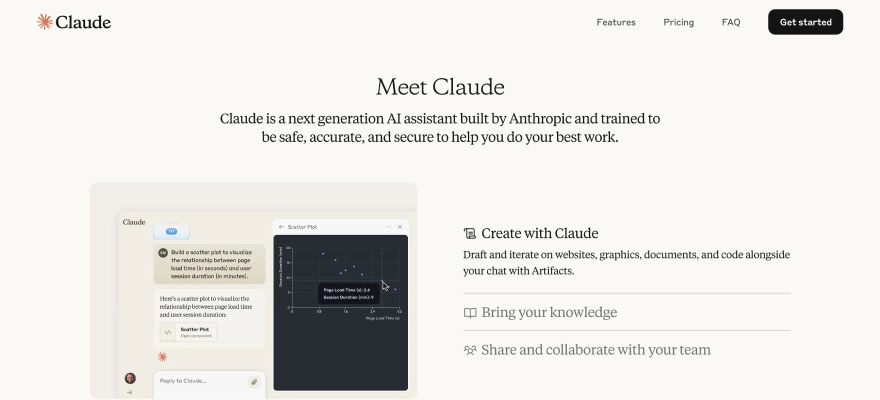
Claude isn’t just smart—it’s built to be safe, fair, and transparent. Designed with ethical AI practices at its core, Claude excels in providing helpful and grounded responses, even when handling sensitive topics. If you’re someone who values AI that aligns with responsible use and thoughtful guidance, Claude offers a steady, trustworthy alternative. It’s especially popular among educators, researchers, and anyone seeking deeper, more meaningful interactions without the risk of misinformation.
3. Gemini by Google DeepMind
If you’re already living in Google’s world—Gmail, Docs, Calendar, the whole suite—Gemini is like the helpful assistant you didn’t know you needed. Tightly woven into Google’s ecosystem, it can pull context from your emails, help you draft responses, summarize documents, and even support you across Chrome or Android devices. Think of it as a cross-platform guide that understands not just your queries, but the environment you’re working in.
4. Grok by xAI
Elon Musk’s venture into chatbot AI, Grok, is carving out its own space by offering real-time web access and the ability to summarize lengthy documents, PDFs, or live data sources. It’s the go-to option for users who need not just smart answers, but timely ones. Journalists, analysts, researchers, and power users looking to stay ahead of the curve will find Grok’s real-time edge incredibly useful—especially when news or data changes by the minute.
5. Perplexity AI
When all you want is a straight, accurate answer without the fluff, Perplexity AI is a strong contender. Focused on precision and relevance, it behaves more like a research assistant than a conversational partner. It pulls from credible sources and gives clear, fact-checked summaries, making it ideal for students, academics, and professionals who care more about content than chit-chat. If you’ve got a question, Perplexity is all about giving you the right answer fast.
6. Jasper Chat
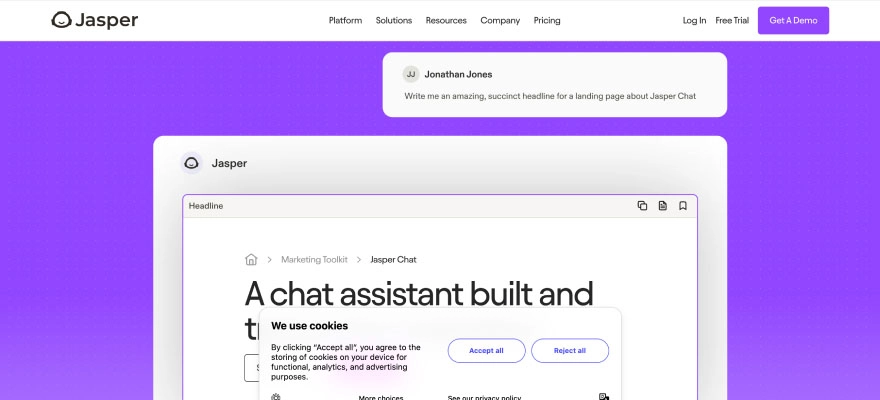
Content creators, rejoice—Jasper Chat is built with you in mind. Jasper helps you write faster. It’s useful for blogs, ads, and product descriptions. It keeps the quality high while saving time. Jasper understands tone, structure, and brand voice. That’s why many marketers and writers use it. What makes it different is how well it fits creative needs.
7. Chatsonic by Writesonic
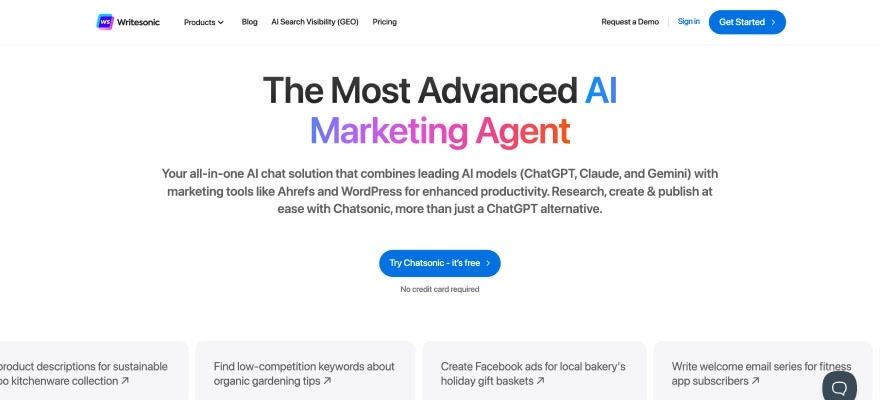
Chatsonic brings together intelligent conversation and live data. It delivers more than only reply— offering updates on the current news, trends, with insights. This proves to be useful for professionals need to stay with updates. Suits marketers, writers, and business owners. It can adjust its tone, reflect different writing styles, and even generate images. It’s designed to support creative work, not just answer questions.
8. Pi by Inflection AI
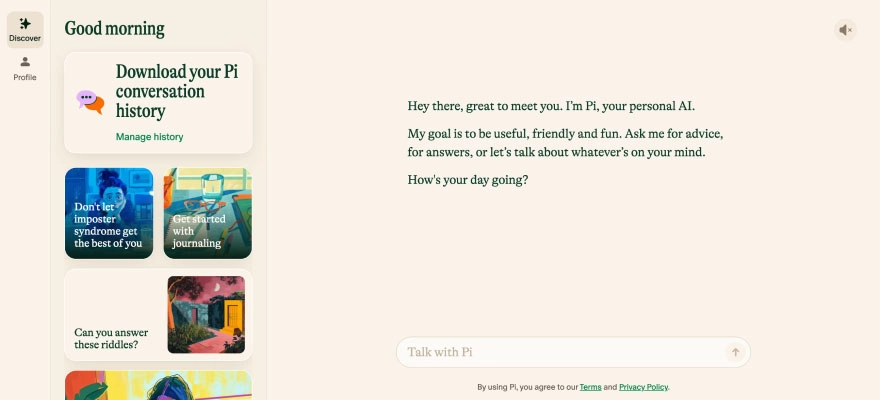
Pi is built to help people stay organized. It functions such as a personal assistant— reminders, appointments and managing tasks. It tries to keep things streamline. It could be your schedule or your daily tasks list. It offers support in a calm, easy way. For those who want help without anything complicated, Pi does the job well.
9. Replika
Replika is designed to offer emotional support. It’s not built for work or productivity—it focuses on connection. It catches details, replies with care, and gives a safe space to talk for the user. People try it in case of loneliness, stressed or feeling sad to talk friendly without any protocol with them. For many, it brings comfort when human support isn’t close by.
10. Drift
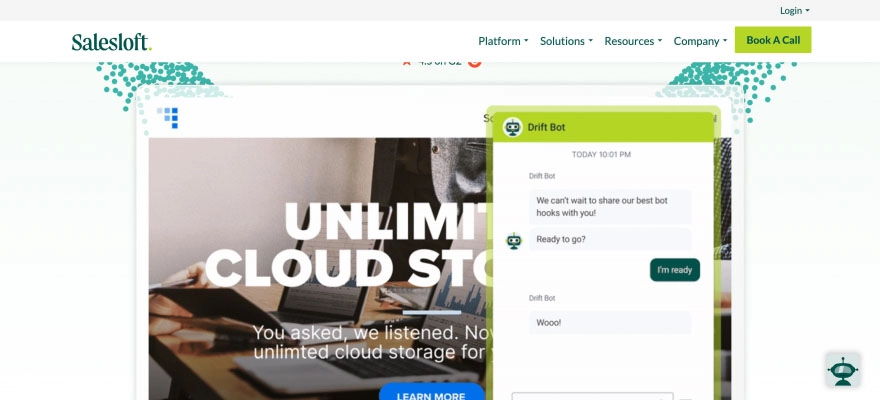
Drift helps businesses turn website visitors into leads. It’s built for sales and customer engagement. The chatbot helps find the right leads, sends quick messages, and sets up meetings. Sales teams can connect with people instantly and close deals faster. It runs 24/7, like a team member that never logs off.
AI Chatbots Fit in Today’s Business Landscape
AI chatbots are quietly transforming the way industries work. They help businesses do more with less effort, without taking away the human touch.
In healthcare, they simplify daily operations. Patients can schedule appointments, check symptoms, or access basic information—without waiting in queues or holding on calls.
In e-commerce, they improve on the shopping experience. From resolving product queries to orders tracking, chatbots does it all, scaling up customer satisfaction and maximising conversions.
In finance, they support teams by managing service requests, sharing useful financial tips, and flagging suspicious activity. It saves time and builds trust.
In education, they’re a helpful resource. Students get academic support, instant answers, and help with administrative tasks, all through one interface.
In hospitality, they add value before the customer even checks in. They support in reservations, replying for guest queries, and recommend individualised experiences. They also help businesses with seamless on-demand service.
Selecting the Correct Chatbot for Your Business
Role: Start by defining its role. Should it answer questions, drive sales, or share updates?
Integration: Knowing its purpose helps narrow your options. Check if it fits into your current tools. You will experience fast results upon smooth integration.
Flexibility: The best chatbot follows your brand—its tone, language and the way customer’s feel while interacting with businesses.
Scalability: Choose a chatbot that can grow with your business and handle increasing user interactions.
Security: Prioritize chatbots that adhere to data protection regulations and offer secure interactions.
Find the best AI chatbots understanding your business.
From instant responses to smarter workflows, the right chatbot AI makes a difference.
Conclusion: Embracing the AI Chatbot Evolution in 2025
As we wrap up this deep dive into the best AI chatbots of 2025, one thing is crystal clear: chatbot technology has grown from a customer service convenience into a business necessity. Whether you’re running a lean startup or managing operations for a global brand, the right AI chatbot isn’t just a tech upgrade—it’s a strategic partner.
We’re seeing AI chatbots online that can engage customers with empathy, automate complex workflows, and adapt to different industries—from retail and healthcare to education and finance. The tools available today are smarter, faster, and more intuitive than ever. But perhaps the most exciting part is how accessible they’ve become. No longer limited to tech giants with huge budgets, AI chatbots are now within reach for small businesses, solopreneurs, and anyone ready to streamline how they connect with people.
Choosing the right chatbot in 2025 comes down to a few honest questions: What do you want it to do? How much control do you need?
As we’ve seen, the best AI chatbots don’t just respond to messages—they understand context, learn from interactions, and grow with your business. AI chatbots give a variety of options. Some may be customized in detail to match with your business, while rest are designed to work ‘out of the box’.
The key is not only about selecting the most advanced tool—it’s selecting the perfect one fitting your goals and deliver customer’s the support, but they also anticipate.
Success doesn’t come from flashy features.
Digital communication is changing. It’s not about sounding robotic or overly technical. It’s about being helpful, flexible, and easy to engage with. The future is human-led—backed by tools that understand how people connect.
Running a business or just curious about the future of chat?
Learn how modern AI chatbots are transforming the way we interact
AI chatbots are helping many industries. In healthcare, they support patients by handling bookings and basic medical queries. E-commerce brands use them to answer customer questions and guide people through purchases. In finance, chatbots manage routine support and flag suspicious activity. Schools and universities use them to assist students with information. In hotel industry, AI chatbots help in their reservation process and interactions with guests.
Yes, most platforms follow strong data protection standards. They’re committed to keep safe and secure- user data. But it’s advisable that to check whether a chatbot complies with security rules and your local privacy before you start using it.
You must know –what you want to get from these AI chatbots. It may be customer service, lead generation, or just handling FAQs. Then, check its compatibility with your current tools. You can customise it; it will develop with your business growth. Don’t forget to check its data privacy standards too.
Found this post insightful? Don’t forget to share it with your network!
Keeping up with technology in the world of upgrades every day is a tough job. New tools, platforms, and digital trends can come and go in a blink. So, for businesses, it’s no longer about being current. Instead, it’s about being a leader in their industry with the help of IT consulting companies and services.
These firms provide expertise for businesses in determining the different ways to employ technology, such as top-quality management of legacy systems, increasing levels of security, or simply managing new digital initiatives. But therein lies the issue with numerous IT consulting firms: how do you identify the right one for you?
This blog is your go-to cheat sheet providing top 10 tips to help you choose the perfect IT consulting firm in 2025. Make sure you are teaming up with the folks that understands your project, so this list will have your back.
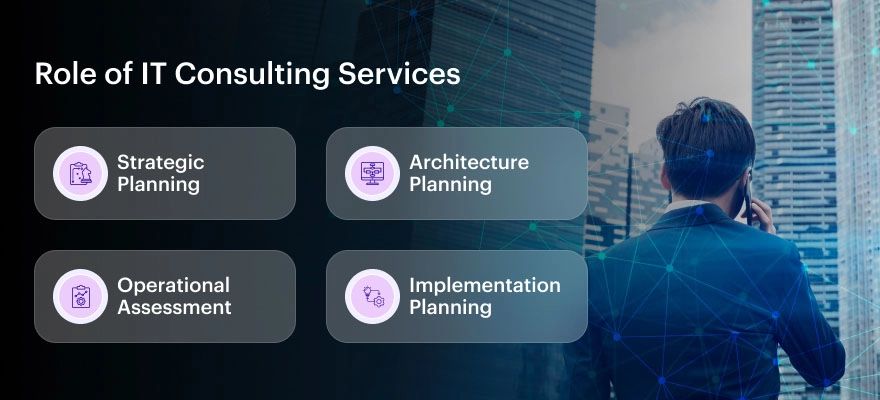
Role of IT Consulting Services
Good technology makes everything run smoother, but with so many technologies floating by, it gets confusing. The IT consulting firms solve these problems for you on a platter.
The firms provide their best IT services that can help your business figure out how to use technology in the most innovative way possible. Don’t be confused with the terms “consulting” as they are not just advice-giving companies. They plan, solve problems, and open new opportunities.
The role of an IT consulting company is to improve daily operations and plan major digital transformations that are both practical and strategic. Below are the listed jobs that the IT consulting firms do:
Strategic Planning: They assess a company’s IT needs and create clear, actionable plans to improve systems, processes, and technologies.
Architecture Planning: Consultants help design IT systems that align with business goals while keeping an eye on new, emerging technologies.
Operational Assessment: They review existing IT setups to find gaps, inefficiencies, or risks, then recommend improvements to boost productivity and service quality.
Implementation Planning: Beyond planning, IT consulting firms also help businesses smoothly and effectively roll out new tools and processes.
The IT consultants offer fresh tech perspective and data-backed strategies designed specifically for your company’s unique challenges. They make sure you’re not wasting money on unwanted tools. Instead, they focus on strategies that could actually help your business flourish.
So, having an IT consulting partner for your business is a must. Even if you are a small startup, you can partner with an IT consulting company to get the right tech that will make a huge difference.
Discover the top 10 tips to select the right IT consulting firm in 2025
Make smarter business decisions with expert insights from Chimpare your trusted IT consulting partner.
Why Does Your Business Need an IT Consulting Firm?
You might think, “Our business is running fine. Do we really need a consulting firm to step in?” Even if things seem smooth now, market trends, customer expectations, and technology move quickly. Without keeping up, it’s easy to lose your edge.
So, having an IT consulting firm will make a real difference. Here’s why having one by your side matters:
To Keep Improving: No business system is ever truly flawless. Your technology and processes have to continuously get smarter, faster, and more efficient because customers are always expecting faster, better and brighter service. IT consultants will help you to find ways to upgrade and improve where necessary to get better results.
To Spend Money Smartly: Growth is not just about earning more money but also spending smarter money. IT consulting firms can help you cut unnecessary costs, avoid costly mistakes and make better spending decisions if you choose to invest money in your business.
To Blend Technology Seamlessly: You might have good tools, but are they working together efficiently? IT consultants can spot where things aren’t connecting well and help integrate your systems, so everything runs smoothly, saving time and boosting productivity.
An IT consulting firm is there to help your business stay competitive and ready for whatever comes next.
Key Services Offered by IT Consulting Firms
IT consulting companies cover all types of IT services to help you manage, improve, and future-proof your business’s technology. Here are some of the main IT consulting services available:
Cybersecurity services: A good IT consultant can help you identify security gaps, strengthen defences, and protect against unwanted cyberattacks. They assess the best security measures, implement the correct security procedures, and perform ongoing assessments.
Cloud Computing Support: Moving to the cloud is not a passing phase but a wise decision. IT consultants can help your business move to cloud-based systems while providing objective feedback on the different tools and integrations available. This allows for more flexible working environments, improvements in team collaboration, and reduced costs.
Strategic IT Planning: Your business’s technology should support your goals, not hinder them. A strategic, long-term technology plan is created covering everything from what software to use to how to manage upgrades, ensuring that your technology investment is in line with your ultimate goals.
Data Analytics and Business Intelligence: Data is only as powerful as how you use it. IT consultants help transform all your numbers and reports into actionable insights, resulting in a better strategy for growing your business.
IT Infrastructure Modernisation: IT consulting firms can evaluate your systems, offer suggestions, and supervise your updates to make sure your technology supports your expansion.
These services are designed to directly address modern business issues and nurture them with the right tools and methods to gain market share.
Top IT Consulting Trends for 2025
Some of the biggest IT Consulting trends shaping the industry in 2025 that your business needs to keep track of are:
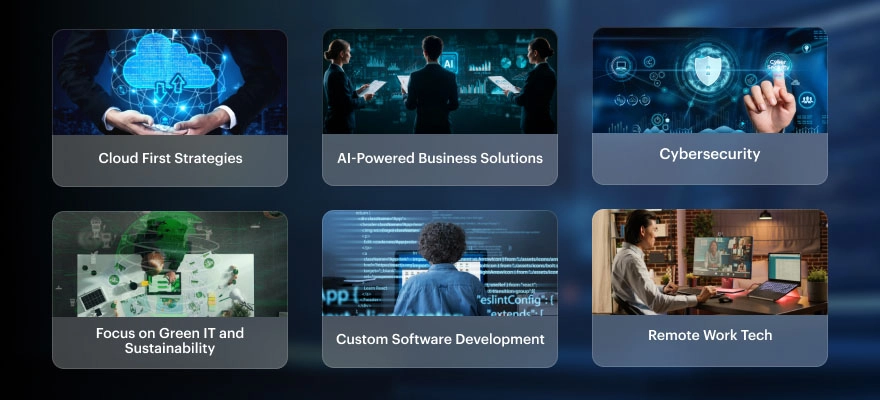
Cloud First Strategies Companies are migrating to the cloud in order to remain flexible, scalable, and cost-effective. IT consultants are seeing a massive interest in assisting businesses in developing cloud-first strategies that enhance speed, security, and remote access.
AI-Powered Business Solutions Artificial Intelligence will be a major tool in 2025, and IT consultants can help your business use AI for data analysis, automation, customer service, and risk management.
Cybersecurity A security infrastructure is now necessary due to the rise in cyberthreats. IT consulting firms can help your organisation build stronger defense systems and protect your assets with real-time threat detection and cloud security solutions.
Focus on Green IT and Sustainability As sustainability uses rise, businesses are also becoming eco-conscious. So, IT consulting firms can assist you in adopting sustainable tech practices like energy-efficient cloud systems and reducing tech waste through more digital processes.
Custom Software Development Not all solutions are meant for all businesses. Sometimes, IT consultants offer custom software development services, through which applications are created according to your business needs, fitting specific workflows, customer demands, and long-term goals.
Remote Work Tech These days, remote and hybrid employment arrangements are the way to go. IT consulting firms can fully embrace remote work for their company by implementing secure and reliable remote work technologies. These can include cloud collaboration tools for virtual private networks (VPNs) and remote project management platforms.
10 Tips to Select the Right IT Consulting Firm
For the process of selecting the right IT consulting partner can be tough, but a bit of forethought can help you find a company that fits well with your business. Have a glance at the following useful tips that follow.
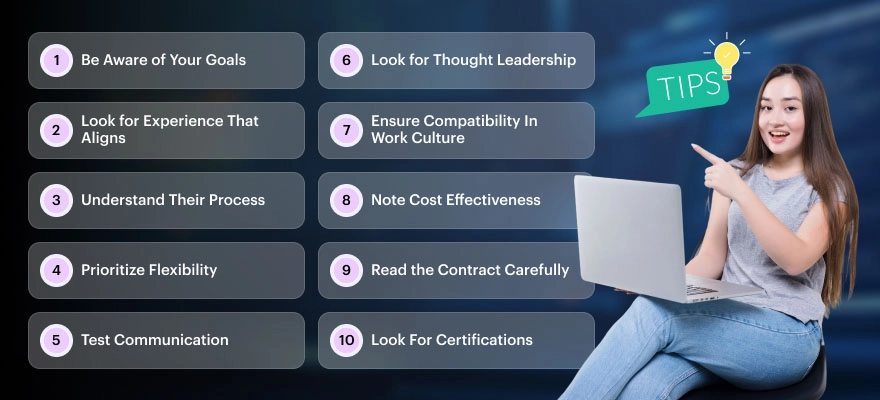
Be Aware of Your Goals Use this period to clarify your aims and goals, whether for privacy, moving to the cloud, or better collaboration opportunities for your team. Once you have some, companies can assist in achieving your aim.
Look for Experience That Aligns Not all IT firms are good. Find out if they have successfully executed projects similar to yours or in your industry. Many IT firms will provide case studies, testimonials from past clients, and examples of past work, which is one of the easiest ways to recognise an appropriate partner.
Understand Their Process Every good consulting firm will have a method and style for accomplishing projects. Ask how they plan, communicate, and troubleshoot. Make sure their approach fits well with your team’s methodologies.
Prioritize Flexibility Technology changes rapidly. You will want one that stays on top of trends and can pivot quickly. Also, ensure flexibility in workload; if necessary, a firm should be able to offer additional services and take on larger projects.
Test Communication Tech speak can get complicated quickly. Consider a firm that expresses itself reasonably clearly and gives you regular updates throughout a project. Good communication goes a long way.
Look for Thought Leadership You are going to benefit the most from a firm that does not simply follow trends but sets things in motion; keep an eye on firms that regularly share thoughts, offer suggestions, and stay at the forefront of their industry. This way of thinking can provide tremendous value for your business.
Ensure Compatibility In Work Culture While skill set is important, compatibility is equally important. Look for a firm that understands your values, respects your way of doing business, and collaborates well with your team.
Note Cost Effectiveness Cheap isn’t always best. Look for a reasonable balance of price and value. Request a detailed breakdown of costs, and make sure the services you are being provided actually match your needs and your budget.
Read the Contract Carefully Read the contract before signing anything. Make sure it specifies the task, due dates, deliverables, and payment terms in detail. Never be afraid to ask for clarification or to negotiate.
Look For Certifications Industry certifications have value. They show that a company takes quality seriously and adheres to best-practice methodologies. Make sure you research the applicable certifications, especially in areas such as data security, cloud services, or software development.
Benefits of IT Consulting to Business
Learn how to choose the best IT consulting firm with our expert-backed top 10 tips
Boost your tech strategy with guidance from industry-leading consultants at Chimpare
Having IT consulting partner with your firm helps future-proof your company against future digital disruptions. But here the key benefits of IT consulting firms:
Strategic Planning & Competitive Advantage IT consultants assist organisations in coordinating their long-term goals with their technological investments. They look at your systems, market trends, and your business goals to formulate strategies that encourage growth, the stimulation of creativity, and competition in a rapidly changing digital economy.
Cost Optimisation & ROI Focus The cost savings that IT consulting produces are among its main advantages. IT consultants identify inefficiencies, eliminate costs that do not add value, and ultimately recommend scalable, less costly solutions, all while delivering maximum value without sacrificing quality.
Expert Advice & Industry Knowledge IT consultants possess knowledge, best practices and/or knowledge of emerging technology trends, and possibly most importantly, experience to contextualise and appropriately respond to complex IT challenges, ensure that best practices are followed, and help the organisation make decisions with knowledge and foresight.
Better Security & Risk Reduction IT consulting firms protect organisations from everything like data breaches, cyberattacks, and interruptions to business operations. They implement security measures, manage risk, and maintain compliance to develop a functional and safe IT environment. To support this, having a clear incident response plan is crucial for minimizing damage and accelerating recovery during security breaches.
Scalability & Flexibility IT consulting companies can offer adaptable solutions to help a company’s steady expansion. Their solutions can scale resources up or down according to the project’s scope. This affords operational flexibility and speed in changing internal costs when required, without the indirect overhead of building internal teams.
Faster Time to Market IT consultants are focused on execution. They have expertise, functional methodology, and processes to accelerate project delivery. They adopt the automation of IT solutions quickly to benefit businesses, allowing them to take strategic and competitive opportunities quickly than the competition.
Change Management & Digital Transformation Assistance Consulting technology also provides companies with resources to assist in change management and digital transformation. A technology consultation will bring together an organisation’s leadership, employees, and processes to support technological adoption and a change in the company’s culture.
Explore essential tips to pick the perfect IT consulting firm for your business in 2025
Partner with Chimpare for future-ready IT consulting services tailored to your goals.
The right IT consulting partner will help position your company for long-term success. In fact, the right partner can alter the way your business operates-from reducing costs and increases in safety to stimulation and rapid growth.
When selecting a partner, consider communication, flexibility, tech know-how, and experience. Having the right IT assistance on your side might help your organisation maintain its competitive edge.
Make the right decision, and your company will flourish!
When choosing an IT consulting firm, look at their industry experience, technical skills, past project success, and client reviews. Check if they understand your business goals and offer solutions that fit your needs. Also, consider their pricing, availability, and how well they communicate throughout the process.
Start by reviewing their portfolio and case studies of similar projects. Ask about the technologies they work with and the industries they’ve served. It’s also a good idea to request client references and schedule a consultation to see if they can confidently address your technical challenges.
A good IT consulting firm should keep you updated at every stage of a project, from planning to delivery. You can expect regular check-ins, progress reports, and open discussions about risks, delays, or changes. Transparency about pricing, timelines, and project scope is also a sign of a reliable partner.
Hiring an IT consulting firm gives you access to expert advice, the latest technologies, and efficient solutions without the cost of a full-time team. They help you improve security, manage risks, optimize operations, and achieve faster results while letting your internal team focus on core business activities.
The right IT consulting firm will understand your business goals, offer solutions tailored to your needs, and communicate clearly. Look for a flexible team, experienced in your industry, and willing to align with your company’s values and work culture. A trial project or initial consultation can also help you decide.
Found this post insightful? Don’t forget to share it with your network!
Introduction – Why UK Startups Must Pick the Right App Platform
Smartphones are part of our daily lives. For this reason, creating a mobile application can be a very advantageous first step for new businesses. One of the first significant choices that UK startups face in iOS vs Android app development is deciding which platform to prioritize. This decision may affect the number of users you reach and the long-term expansion of your company. Because each platform in the iOS and Android app development debate comes with its own set of tools, technologies, and costs, it is best to take your time choosing the one that best meets your needs.
iOS and Android App Development: Key Differences
iOS and Android function differently in terms of app development. iOS apps are developed in Swift or Objective-C using Apple’s Xcode environment. Conversely, Android Studio and Java or Kotlin are used to create Android apps. Despite its reputation for strong security and a smooth, intuitive interface, iOS is often seen as more restrictive.
Comparing Development Costs – iOS vs Android
Cost matters to every startup. Developing an iOS app usually costs more than creating an Android version. But Android needs extra testing as it runs on different devices, which can increase total cost. Startups can go for cross platform development for cost effective solutions.
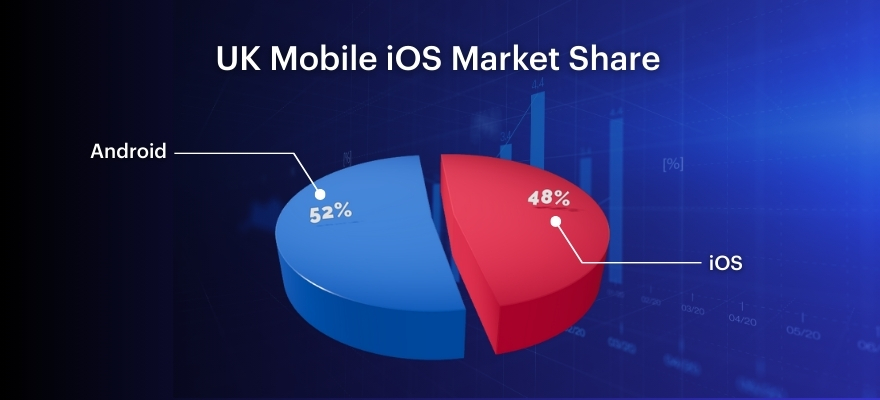
Source: StatCounter
Time to Launch and App Store Rules
How fast you can launch matters. Apple’s review and approval process can take longer, potentially delaying your launch. Google Play is more user-friendly and quicker. For UK startups looking to develop their app quickly, Android is a good option. Still, Apple’s reviews often lead to better app quality.
Making Money – Which Platform Earns More?
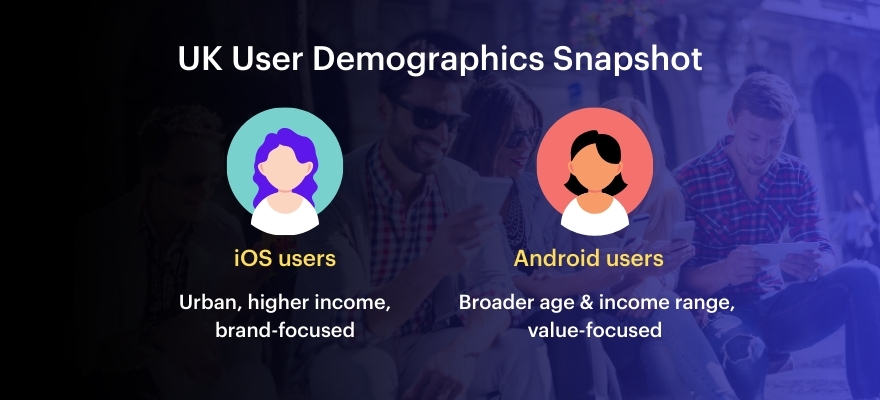
iOS users are more likely to pay for apps or buy extras in them. This means iOS can be better for startups that sell things inside the app. Android apps often achieve higher download numbers and offer stronger ad monetization options. UK startups should pick a platform that fits their money-making plan. For instance, a subscription app might perform better on iOS, but a freemium app might perform better on Android.
Ready to build your app?
Let our UK-based experts guide you in choosing the right platform. Get a free consultation today.
iOS apps usually look more polished and follow Apple’s strict design rules. Android apps follow Google’s design system, which allows more creativity but can be less consistent. UK startups that want a high-end look might choose iOS. Android is better for those who want a custom or creative design.
Security and Privacy – What UK Startups Should Know
Security is very important, especially with rules like GDPR in the UK. Apple’s system is more secure as a result of careful review and closure. Android is more open and flexible, which can give developers more control over security—but it also requires careful management to avoid potential risks. Startups that deal with private data might find iOS development to be the safer choice.
iOS or Android — or maybe both?
Talk to our experts and find the right fit for your startup. Start the conversation.
Google’s methodology is used in the design of Android apps that work across multiple devices. Android phones come in all sorts of screen sizes and run different software versions.
This requires more time and cost. iPhones use only a few models, so testing is faster and easier.
UK startups looking for a smoother testing process may prefer developing iOS.
Using Cross-Platform Development Tools
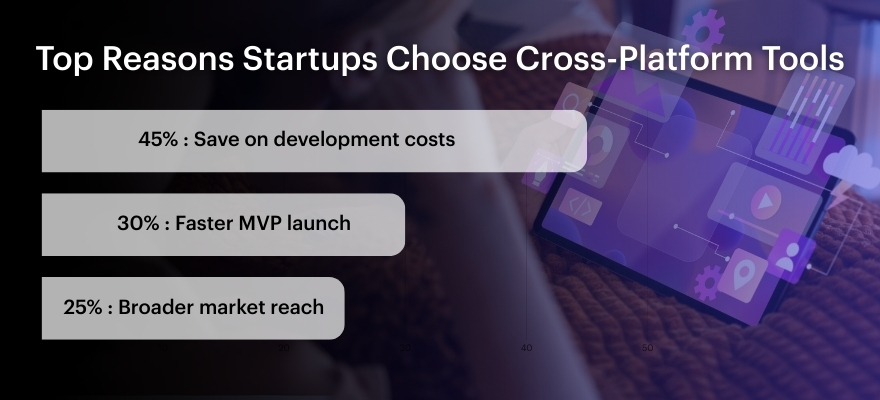
You can create a single iOS and Android app using the React Native, Flutter, and Xamarin tools. This saves time and money. The app might not run as fast as native apps, but it’s good enough to test ideas. Later, startups can build separate apps if needed.
Source: Statista & Developer Economics
What UK Startups Are Doing
Many UK startups launch their app on iOS first to reach paying users. For example, Monzo started with iOS, then added Android. Others, like Deliveroo, used cross-platform tools to reach both groups at once. These choices depend on their business goals. New startups should think about their audience and follow what works best for them.
Source: Deloitte Mobile Consumer Survey UK
Final Thoughts – What’s Best for UK Startups?
Selecting platform depends following factors
Who your customers are
How you want to make money
Your budget
How fast you need to launch
How important security is
iOS might be a better option for your startup if you want to provide an excellent user experience and increase revenue.
If you want to reach more people and keep costs low, Android is better. If you’re just testing an idea, cross-platform development may be the best way to start.
Still unsure which platform is right for you?
Talk to our team and get personalized advice for your startup. Contact us now.
App maintenance is made simpler by iOS devices’ faster and more frequent updates. Device manufacturers are in charge of Android updates, which can cause delays.
It does not matter how extraordinary your product, or it is just standing apart in the current market of a certain segment. All revolves around the user experience. Obviously, the role of UI UX design tools and their selection for your product design and development is a crucial factor behind your product success and outstanding customer feedback or reviews, making it a hit in its respective market.
Mastering effective UI UX design is complex for any product, and finding the right UI UX design company or a specialized UI UX design services company can significantly affect your project success.
To deliver top tier UI UX design services mostly depends upon the latest UI UX design tools, UI design tools, and integrated UI & UX design tools.
In this blog article, we are presenting a leading list of 20 best UI & UX design tools for your help in referring and identifying your best one for your product design and development journey. The list is very useful for technical brains as well.
Let us unfold these best UI & UX design tools one after the other here.
We will be starting our journey here with Miro.
Now, let us roll down each UX design tool here one by one with its brief description, showcasing its best use case and distinctive features.
Learn about essential ux design tools and ui design tools.
Build your skills with insights from Chimpare- UI UX design company.
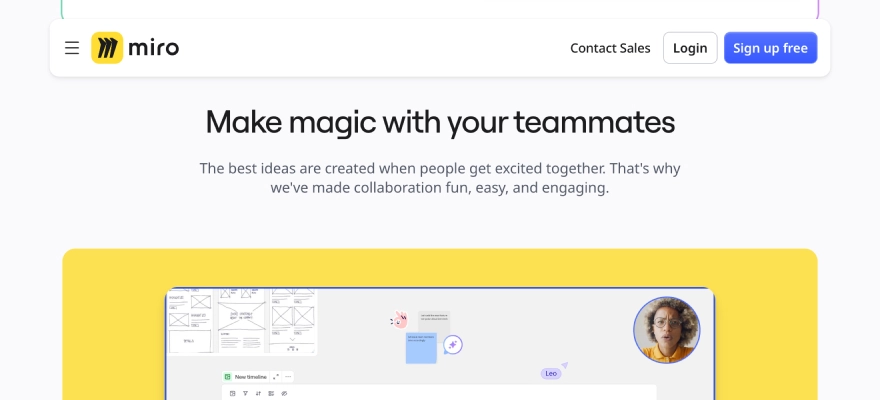
As a visual workspace tool may be helpful for UX teams in their design projects organization activity via diagramming, mind mapping, process planning, and content visualization.
Miro stood apart due to its strong set of features customized for collaborative design.
One of the things users genuinely appreciate about Miro is how easy and natural it feels to use. Its clean, intuitive interface lets you build and arrange user flows effortlessly. Thanks to its drag-and-drop setup and a rich collection of ready-to-use templates and widgets, you can dive straight into designing without needing a steep learning curve.
What also stands out is Miro’s infinite canvas—it gives you all the room you need to think, sketch, and revisit your ideas. Whether you’re working through complex user journeys or just tossing around early concepts, the space makes it simple to lay everything out, refine your thoughts, and adapt along the way.
Features
Features include sticky notes and comment functions, mind mapping tools, screen sharing, Talk Track to record process explanation videos, document and image embedding, voting and polling features, timeline and roadmap planning, access control, and permissions management.
Integrations
Integrations include Zoom, Figma, Asana, Microsoft Teams, Jira, Slack, Monday.com, Confluence, Google Drive, Box, Airtable, Notion, Azure, and Webex.
Pros and Cons
Pros:
Real time collaboration facility
Intuitive to use
Big library of pre-built templates and widgets
Cons:
Free plan limits the number of boards
Higher-tier plans have some integrations availability
2. UXCam
Best for app experience mobile with analytics
14-day free trial + free plan available
Pricing upon demand
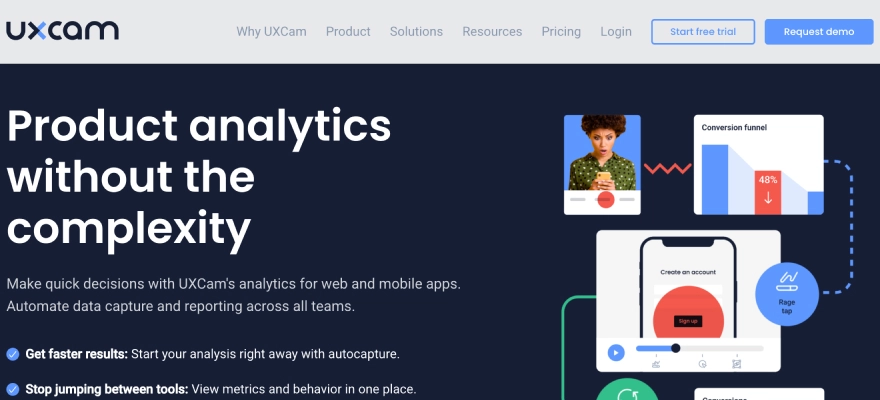
UXCam, known for its focus on mobile app experience and analytics, equips product teams with meaningful insights into how users interact with their apps. It captures detailed session recordings and event data, helping teams uncover usage trends and behaviour patterns. Every user action—no matter how small—is tracked in real time, and all of it is transformed into clear, high-quality reports that make it easier to dig into performance and improve the overall user journey.
UXCam supports product companies’ growth by leveraging contextual analytics, giving every stakeholder the right type of UX metrics. Product teams get to know the reasons behind user decline and uninstalls, also discovering emerging user trends.
The growth team gains deep insights into customer in-app journeys and can analyse certain user segments. Engineering team mates also get the returns. They get to the root level cause of bugs and app crashes, making sure about high-class development and release cycles.
Features
Features include session replay analysis, heatmaps, user analysis, screen analysis, user journey analysis, custom reports and dashboards, and crash analytics.
Integrations
Integrations include Amplitude, Android, Firebase Crashlytics, Firebase Google Analytics, Intercom, iOS, MixPanel, React-native, Segment, and Xamarin.
Pros and Cons
Pros:
Instant insights
Old-school design
Helpful heatmaps
Cons:
Session recordings sometimes fail
Limited Number of recordings limited
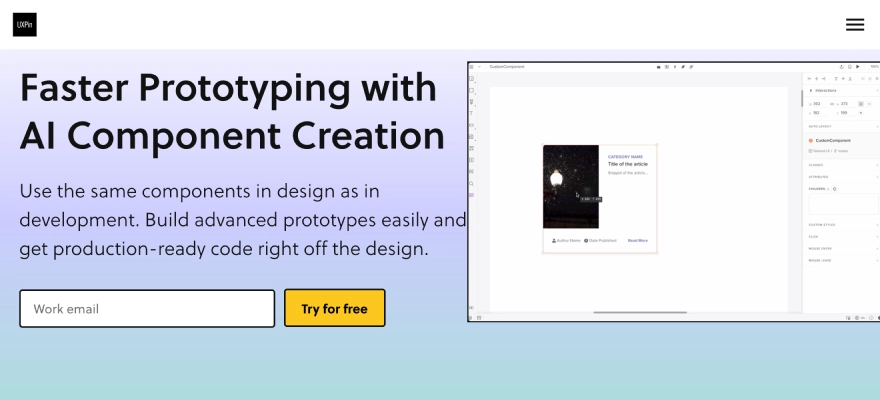
3. UXPin
Best for collecting user insights
14-day free trial + free plan available
From $6/user/month
UXPin supports you to have better user experiences and maximise user journeys, all in a single UX design tool.
The software allows you to collect user insights and feedback fast. You can build interactive designs fast, then collect feedback by observing how end-users click via the designs.
You can give invitation to your team members and other stakeholders to collaborate, importing files from other design tools, and make your work dynamic. You can also take an edge of the pre-built libraries, and user flows (complete with elements, colors, text styles, and icons).
Features
Features include built-in design elements, smooth mockups, comments, auto layouts, and online user testing.
Integrations
Integrations are well compatible with Desktop.com, Jira, Miro, Rambox, Shift, and Sketch.
Pros and Cons
Pros:
Option to upload custom fonts
Easy to implement basic prototypes
Great for sharing projects and mockups
Cons:
Limited video integration
The platform can be slow
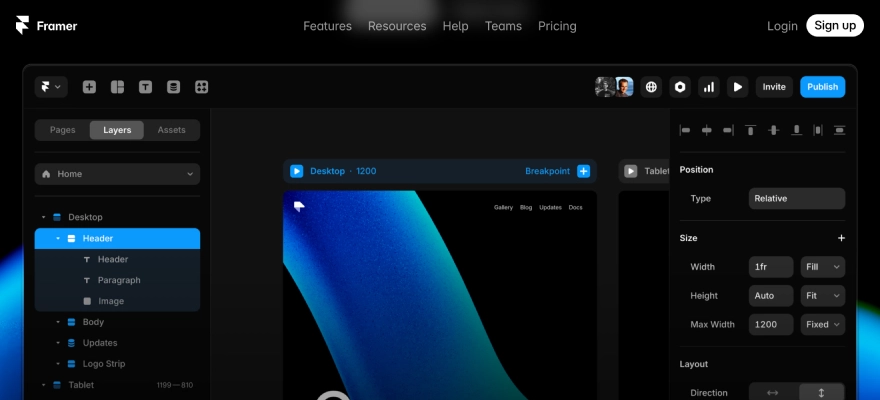
4. Framer
Best for dynamic design elements
14-day free trial, free plan available
From $5/month (billed annually)
Framer is a development platform that allows you to make realistic, dynamic UI and UX designs for all apps or websites.
With this platform, you can jointly work with copywriters, developers, and other designers in real-time on all your UI and UX designs. The multiplayer features enable collaboration with staff on everything from wireframing to handoff.
All designs created in Framer are realistic from the beginning, with interactivity built into everything you create. Thanks to the dynamic designs, you can spend more time designing and get fast results from user testing. Team members can share their valued comments and reply to all feedback directly from the canvas.
Features
Features of Framer include interactive prototyping, code components, design collaboration, UI kit library, design previews, responsive design, and templates.
Integrations
This includes Copy Clipboard, Eventbrite, Giphy, Gumroad, Instagram, OpenTable, Product Hunt, Spotify, TrustPilot, and Twitter.
Pros and Cons
Pros:
High-fidelity prototypes
Robust interaction elements
Good animation features
Cons:
Slight learning curve
Required more sharing options
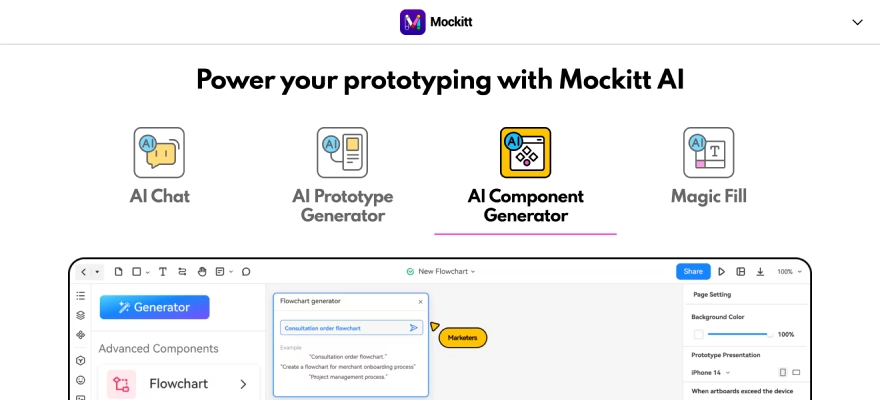
5. Wondershare Mockitt
Best for creating animated prototypes
Free trial available
From $12/user/month
Wondershare Mockitt is a comprehensive online design, prototyping, and collaboration platform aiming to help developers make better products faster.
This UX design tool is ideal for making interactive and animated prototypes that showcase your ideas easily. You can create a life-like experience, meeting up your workflow by making various artboards and instant interactions.
Formatted annotations help you understand the reasoning behind each interface design choice, making the design process more transparent. With real-time collaboration tools, you can easily share your work, make edits, and leave comments as you go. The extensive collection of templates and components also speeds up the process of putting together prototypes.
Features
Features are a drag-and-drop facility, a widget library, responsive design, version history, prototype sharing, and customizable templates.
Integrations
Integrations possible with Asana, Box, Confluence, Dropbox, Google Drive, GitHub, Jira, Microsoft Teams, Slack, and Trello.
Pros and Cons
Pros:
No coding skills required to design or prototype
Convenient developer handoffs
Rapid prototyping
Cons:
Occasional minor bugs
Smaller user base
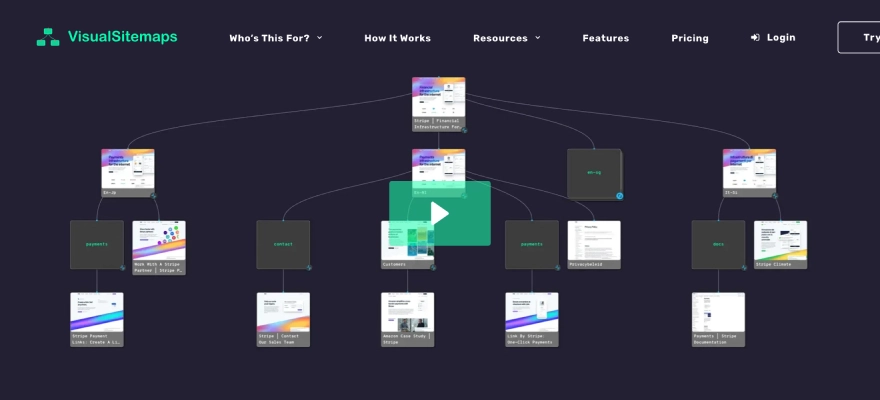
6. Visual Sitemaps
Best for auto-generating visual sitemaps:
Free plan available
From $19/user/month
Visual Sitemaps quickly generates detailed sitemaps and high-quality screenshots for both public and private websites.
It’s especially useful for conducting in-depth site audits focused on UI, UX, SEO, or marketing analysis. Just plug in a URL, and the platform presents a visual, thumbnail-style layout of the site’s structure.
You can annotate any sitemap elements easily and get feedback from teammates and other concerns, stakeholders. With screenshot status tracking, managing feedback becomes more organized. The sitemap editing tools also let you reshape and refine your map effortlessly, using drag-and-drop to adjust structure or build upon the existing layout.
Features
Features include limitless active sitemaps, unlimited domain crawls, infinite crawl depth, exports, sitemap editing, scheduled crawls, visual QA comparisons, screenshot annotations, crawl private sites and custom tags.
Integrations
Integrations with other software tools are available through Zapier.
Pros and Cons
Pros:
Useful options for limiting the crawl
Crawling websites is easy
Ease of use
Cons:
Limited functionality
Occasional errors
7. Figma
Best for ease of collaboration
Free plan available
From $15/user/month (billed annually)
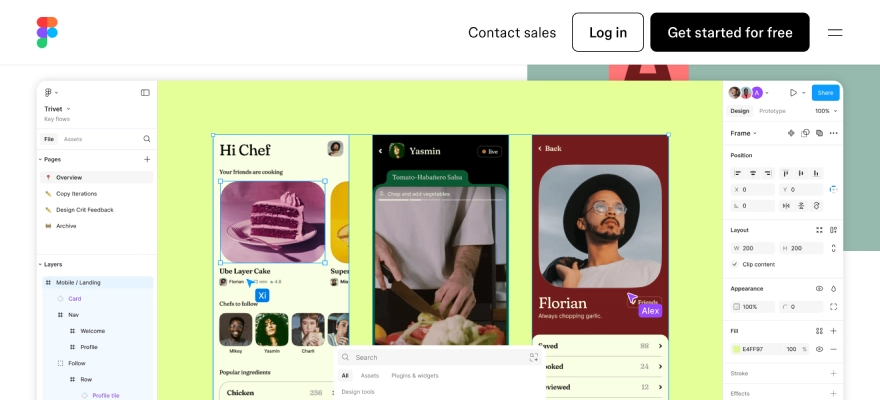
Figma is a renowned platform for making excellent design tools that strengthen rapid prototyping and development.
Figma helps teams design, test, and roll out new product ideas with speed and clarity. Its pen tool allows designers to sketch freely in any direction with the use of vector networks, with the flexibility to design arc-based shapes with ease. Files can be pinned for quick access, contributors are visible immediately, and notes can be added for better context—all while working together live in the same space.
It also comes packed with tools that support prototyping, transition design, and setting up interaction flows. On top of that, features like diagrams, sticky notes, audio chats, and digital whiteboards give teams everything they need to brainstorm and share ideas without missing a beat.
Features
Features of Figma include advanced collaboration tools, vector networks, components, prototyping, design system management, version control, version history, audio conversations, team libraries, content management, overlays, automated provisioning, on-canvas commenting, plugins, and cross-platform compatibility.
Integrations
Integrations include Axure, Bubble, Confluence, Flinto, Maze, Microsoft Teams, Pendo, Principle, ProtoPie, Sprig, and Zeplin.
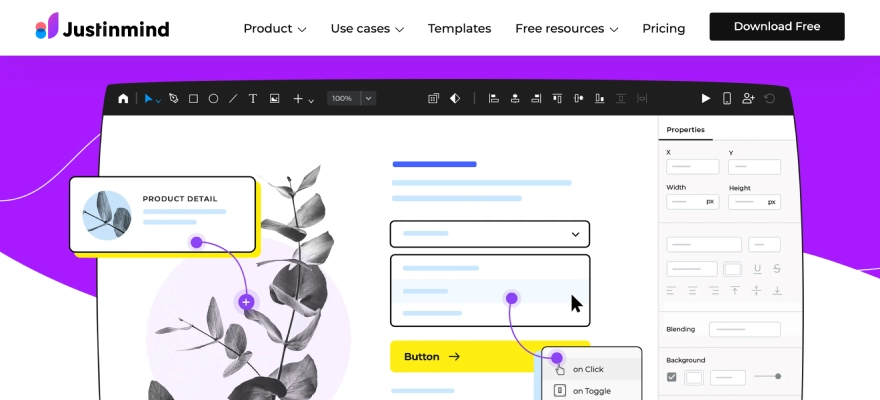
Justinmind is an app development platform helping businesses build prototypes and wireframes compatible with many screen sizes and devices.
The software gives easy way to enhance user experience through visual designs, web interactions, and mobile gestures.
With export and documentation tools, users can generate standard documents and easily export them in HTML format. Designers can also publish their UI designs instantly with just one click and invite teammates to review and share feedback directly on the design.
The platform supports building clickable prototypes that function like real products – no coding required. You can simulate full user interactions for both web and mobile, complete with transitions, animations, advanced interactivity, and dynamic UI components that closely mirror the final user experience.
Features
Features include pre-installed user interface kits, animations, transitions, effects, templates, forms, data lists, collaboration, app testing, and flow scenario management.
Integrations
Integration capability with Adobe Illustrator, Adobe XD, Figma, Jira, Microsoft TFS, and Sketch is there.
9. Marvel
Best for rapid design handoff
7-day free trial + free plan available
From $16/user/month (billed annually)
Marvel is a UX design platform built to support fast prototyping, usability testing, and seamless design handoff for teams.
With Marvel, you can sketch wireframes, produce detailed design specs, and plug in helpful integrations that streamline your daily workflow. Whether you’re working on low-fidelity wireframes or more polished, high-fidelity screens, the platform gives you the tools to bring your ideas to life quickly.
Designs can start from a hand-drawn sketch, a photo, or cloud-based mockups – or you can sketch directly within the tool itself. Just link the screens together to simulate the app experience, hit play, and your prototype is ready. Sharing is simple too – send it over email, SMS, or even through social media like Twitter.
Features
Features include design prototyping, a UI kit library, animations, responsive web design, version history, prototype sharing, commenting, and feedback.
Integrations
Integrations include Ballpark, Confluence, Dropbox Paper, Jira, Microsoft, Niice, Sketch, Smart mockups, YouTube, and ZeroHeight.
10. Sketch
Best for everything you need to bring your designs to life:
30-day free trial.
The paid plan costs $12 per editor per month, or $10 per editor per month if you pay for Annual plan once.
You can purchase a Mac-only licence for $120 per seat.
Sketch is a vector graphics editor useful for drawing, wireframing, prototyping and design. Sketch is an efficient and flexible UX and UI design platform built for collaborative design. It is an industry-standard tool, suitable for both beginner and advanced designers. Anyway, bear in mind that Sketch is only compatible with macOS.
Features
Features include Intuitive vector editing tools and editable Boolean operations for flexible and iterative design, Infinite design canvas with flexible Artboards, design presets, customisable grids and simple resizing tools, allowing you to upgrade your designs to any screen size, Shorthand and math operators to speed up the design process, Variable and OpenType fonts for infinite control over your interface typography, Cross-platform tools for real-time collaboration, feedback, sharing and developer handoff.
Integration
It includes integrations encompass areas such as design handoff and collaboration with tools like Zeplin, Abstract, InVision, Maze, Miro, Notion, SubPage, and Pitch; prototyping and animation via ProtoPie, Flinto, Marvel, and Origami Studio, Brandfolder, Frontify, and CI HUB, Avocode, Crowdin and Lokalise, Stark and Cluse and various other tools and plugins for specific tasks like charting, image editing (e.g., Picsart), screen recording (e.g., ScreenPal), and Figma for file import and Confluence for image editing within the platform.
Pros and Cons
Pros:
Designed specifically for UI/UX
Intuitive interface
Vector-based
Symbols and components
Extensive plugin ecosystem
Good performance (on macOS)
Developer handoff features
Offline functionality
Cons:
macOS exclusive
Subscription model
Limited built-in prototyping
Not ideal for print design
Can experience performance issues with large files
Less seamless real-time collaboration (compared to web-based tools)
11. Proto.io
Best for high-fidelity, interactive prototypes
A 15-day free trial.
Upon free trial, choice of 4 available paid plans: Freelancer for $24/month, Startup for $40/month, Agency for $80/month, or Corporate for $160/month.
Proto.io is a web-based, no-code prototyping tool that allows you to create high-fidelity, interactive prototypes in record time.Proto.io assures prototyping for all. Popular among designers, product managers, and marketers alike, this UI design tool is renowned for its intuitive drag-and-drop interface, virtually flat learning curve, and extensive library of ready-to-use components, templates, and digital assets.
Features
Drag-and-drop interface. 250+ UI components suitable for – iOS, Android, and web. 1,000+ fully customisable templates for web and mobile app design, also templates for onboarding, e-commerce, product sign-in, and more. 6,000+ digital assets to add to your prototypes, also static and animated icons, stock images, and sound effects. Powerful animation features to bring your prototypes live, including screen transitions, timeline-based state animations, and advanced animation effects. Smooth integration with popular design tools like Figma, Sketch, Adobe XD, and Photoshop. Preview and test your prototypes in real-time with the built-in preview feature
Integration
Proto.io integrates with key design tools such as Sketch, Figma, Adobe XD, and Photoshop for importing designs. It also connects with workflow platforms like Jira, Confluence, and Trello for embedding prototypes. For secure access, it integrates with Microsoft Entra ID (SSO). User testing is supported via integration with User Testing (UserZoom GO), and it integrates with Google Fonts and Adobe Fonts for typography.
Pros and Cons
Pros:
High fidelity prototyping
No coding required
Extensive UI component libraries and templates
Robust interaction and animation features
Integration with design tools
Collaboration features
User testing support
Web-based platform
Good for various devices
Version control
Cons:
Steep learning curve
Cost
Requires internet connection
Limited offline functionality
Performance issues with complex projects
Subscription policy
Lack of direct export option for projects
12. Adobe XD
Best for collaborative design and prototyping
Adobe XD for free with the XD Starter plan. For full XD functionality, you can pay for the standalone tool ($9.99/month) or you may subscribe to the entire Creative Cloud suite (20+ apps, including Adobe XD) for $52.99/month.
Update: Adobe XD is not available for purchase as a single application but will continue to be supported for existing users.
Adobe XD is a versatile vector-based UI design tool built to support the full scope of design and prototyping work. Known for its speed and functionality, it’s a favorite among many designers looking to take ideas from concept to polished prototypes.
Whether you’re starting with rough sketches or building fully animated, interactive layouts, Adobe XD is equipped to handle each step of the UX and UI journey. It delivers a smooth experience when creating wireframes, shaping user flows, and adding realistic transitions.
As part of the Adobe Creative Cloud family, Adobe XD integrates well with other Adobe tools and works seamlessly on both Windows and Mac systems.
Features
Vector-based drag-and-drop editor tool with limitless artboards and smart guides supporting you to align different objects and elements in your designs. Components and states for iterative and scalable design. Components work intuitively to promptly push changes across entire designs or documents, sparing you the work of manually repeating and implementing changes. Strong animation functionality, including video and Lottie playback, micro-animations and motion effects, scroll groups and anchor links. Voice prototyping, permitting you to make voice commands, build in speech playback, and integrate voice-enabled features. Design Specs feature to simplify the handoff process, allowing you to share interactive prototypes, CSS code snippets and downloadable assets with developers—all via one link.
Integration
Adobe XD integrates with a wide pool of tools and platforms, including other Adobe Creative Cloud apps like Photoshop, Illustrator, and After Effects, also with numerous third-party services. These integrations cover key areas like collaboration, user testing, design handoff, prototyping, and access to design assets, allowed via plugins and APIs to enhance workflows and offer teamwork in the design process.
Best for UI & UX Designers and Front-end Developers
1 free project with the Zeplin free plan.
Up to 12 projects, Team plan at $6/seat per month is also available.
For unlimited projects, Organization plan at $12/seat per month is there.
Zeplin is a cloud-based platform built to connect UX/UI designers and front-end developers more effectively. It creates a shared space where design files can be published, and where specs, assets, and code snippets are automatically generated—making the developer handoff far more efficient.
In any designers and developers’ team, work closely to get the concepts live. That’s why it’s critical to provide developers with the precise technical details required to implement your designs just the way they’re intended.
Zeplin takes care of that entire process. You may just publish your finished designs in the platform. You may select anyone platform you’re designing for (e.g. web, iOS, or Android) to produce the necessary assets.
Features
Flows to rapidly and easily map user journeys and document your designs. Global Styleguides to manage and update your design system colours, text styles and components in a centralised location. Extensions for HTML, CSS, Swift, XML, React Native, and more
Integration
Zeplin is a collaboration tool integrating extensively with design platforms like Figma, Sketch, Adobe XD, and Photoshop for design handoff. It also connects with various project management and communication tools like Jira, Trello, Slack, and Microsoft Teams, along with developer tools like Storybook and Visual Studio Code, to simplify the design-to-development workflow and offer team collaboration.
Pros and Cons
Pros:
Simplified Handoff
Automatic Spec Generation
Centralized Source of Truth
Improved Collaboration
Version Control
Integration with Design Tools
Integration with Workflow Tools
Organized Workspace
Developer-Friendly
Role-Based Access
Cons:
Not a Design Tool
Limited Prototyping Capabilities
Subscription Cost
Learning Curve (for full features)
Dependency on Design Tool Integration
May Require Internet Connection
Limited Offline Functionality
14. Origami Studio
Best for Designers
Origami Studio is entirely free to download and use.
Origami Studio is a free UI design software tool. It was created by Facebook. It’s mainly a prototyping tool, allowing designers to rapidly build and share interactive interfaces.
Originally developed for designers at Facebook, Origami Studio is now available for free for macOS users.
It’s a classical UI tool with a close learning curve, so we would not recommend it as your first UX/UI design tool. But, for expert designers looking for creating life-like prototypes, it’s worth for your consideration.
Features
The drag-and-drop canvas is where you create and edit your prototype by working with shape layers, text, and images—whether you’ve brought them in from Sketch or Figma. The Patch Editor lets you build interactions and animations using visual blocks known as “patches.” These patches can be linked together to define the behaviour of your design. The Layer List panel is where you manage the layers within your prototype. You can add new layers and set up specific interactions for each one. The Inspector gives you control over the details—just click on a layer to tweak its properties such as position, size, colour, and more. You can preview and interact with your prototype in real time in the viewer panel. It also allows you to record sessions for sharing or reviewing later. The Patch Library holds all the patches available to you, each with a clear description so you know exactly how they function and where they fit into your build.
Integration
Origami Studio mainly integrates with design tools such as Figma, Sketch, and Photoshop for importing design assets, allowing users to develop interactive prototypes based on their current visual work.
It also distinctly integrates with native device capabilities such as the camera, microphone, and sensors to create realistic mobile prototypes.
Pros and Cons
Pros:
Free to use
High-fidelity prototyping
Patch editor system
Native device features
Integration with design tools
Performance
Code export
Used by meta
Cons:
Mac-only
Tight learning curve
Not a design tool
Limited for large, multi-screen prototypes
Support and community
Less focus on basic wireframing/low fidelity
15. Uizard
Best for AI based designs
Uizard free plan – Free 3 projects and up to 10 themes creatives, with unlimited users.
For more projects, Pro plan for $12/creator per month (offers access to all templates and up to 100 projects)
The Enterprise plan is priced at $49 per creator each month, giving you full, unlimited access to everything Uizard offers.
Uizard is a UI design platform built for people who want to bring digital product ideas to life—without needing deep design skills.
It covers everything from early-stage ideation and low-fidelity wireframes to rapid prototyping, UI styling, and collaborative design in real time. Whether you’re sketching out rough ideas or shaping up final interfaces, Uizard offers a solid toolkit for the entire UX and UI design workflow.
One of Uizard’s biggest strengths is how easy it is to get started. It’s designed to feel familiar—if you’ve ever used Google Slides, Keynote, or PowerPoint, you’ll likely feel right at home with Uizard.
Features
A wide range of drag-and-drop components and ready-made templates makes it easy to quickly build layouts for both mobile and web designs. The Wireframe mode lets you switch your project into a low-fidelity view, perfect for stepping back and evaluating the overall user experience without getting distracted by visual details. You can also import wireframes—whether they’re hand-sketched on paper or created using another design tool—bringing everything into one place for a smoother design process. Uizard will change over your imported wireframes into customisable digital screens. AI-powered Design Assistant: Enter text prompts to auto-generate editable, multiscreen designs. Screenshot Scanner: leverage the power of AI to turn screenshots into fully editable mockups. Wireframe Scanner: This is another AI-powered feature converting hand-drawn wireframes into digital, editable mockups.
Integration
Uizard integrates with tools and platforms mainly for workflow and collaboration, permitting for export to CSS and React code for developers and embedding prototypes online. It can import hand-drawn wireframes and screenshots, gives a Figma plugin for copying elements, and connects with joining tools like Notion, Slack, and Miro. Uizard supports broader automation via platforms like Zapier and Apix-Drive also.
It has a specific integration called Design Shift for converting designs to web components.
Pros and Cons
Pros:
Ai-powered design features
User-friendly interface
Rapid prototyping and ideation
Transforms sketches and screenshots
Real-time collaboration
Time and cost saving
Good for non-designers
Wide range of templates
Cons:
Limited customization options
AI output can be generic or inconsistent
Not a full-featured design tool
Limited offline capabilities
Potential for bugs or slow performance
Subscription cost for full features
Export limitations (e.g., Not always seamless to other design tools)
16. Visily
Best for Teams without a UI & UX Designer
Free limited plan Pro: $11/mo
Visily is an AI-powered UI & UX design tool perfect for teams without a dedicated UX & UI designer. It allows users to create wireframes and prototypes fast without complex design skills. With AI-based design suggestions, it supports teams ideate and iterate faster, making the UX Design process more efficient.
Features
Features include AI-driven wireframes and prototypes, Real-time team collaboration, Pre-made templates for various industries.
Integration
Visily integrates with other platforms to enhance team workflow, collaboration, and design handoff. Its integrations include direct connections with tools like Jira for project management and Slack for communication. Additionally, Visily can export designs to Figma and connect with a wide range of applications via automation platforms like Apix-Drive, allowing broader connectivity within many team ecosystems.
It is an AI-powered tool. It improves your creative workflow by automatically generating UI designs, illustrations, and even animations. With the use of AI-based design recommendations, it cuts down the ideation time and helps you produce visuals that stand out in UI and UX.
Features
Features include AI-generated UI designs and illustrations, Quick prototyping tools Design suggestions by AI.
Integration
Based on the available information, Magician Design, as described as an AI-powered tool for creating design elements, mainly integrates with one main design platform- Figma.
Pros and Cons
Pros:
Enhances Creativity with AI-Generated Assets
Generates Unique and Personalized Results
Significant Time Savings
Convenient Access within Figma Workflow
Automates Design Tasks
Easy to Use for Generating Content (Icons, Copy, Images)
Helps Overcome Creative Blocks
Free to Use (during open beta)
Cons:
Limited to Figma Integration (Not available on other design platforms)
Dependent on AI Capabilities (Quality can vary)
May Require User Input for Optimal Results
AI-Generated Content May Lack Human Touch/Contextual Nuance
Currently in Open Beta (May have limitations or changes)
No Integrated Version Control
Limited Advanced Customization of AI Output
Full Feature Access May Require Paid Plan (after beta)
18. Fronty
Best for designers
Free plan, Pro: $4.52/mo, Advance: $9/mo
Fronty is an innovative tool converting images or design files directly into HTML/CSS code using artificial intelligence. This is ideal for designers who want to bridge the gap between UX UI Design and development quickly.
Features
Features include Conversion of designs to HTML/CSS code automatically, Responsive layout, generation of Customizable code output.
Integration
Fronty integrates with many platforms to fit into web development workflows. It connects directly with popular design software like Figma, Adobe XD, Sketch, and Photoshop to convert designs into code. Also, through full automation platforms like Zapier and Make, Fronty can integrate with a wide range of other tools for CRM, project management, communication, file storage, and e-commerce, remarkably expanding its compatibility within a user’s current software ecosystem.
Pros and Cons
Pros:
Ai-powered image to HTML/CSS conversion
Time-saving automation
Easy to use / no-code editor
Suitable for non-coders
Generates clean and semantic code
Responsive and mobile-friendly output
Built-in SEO features
Integrated hosting and custom domain support
Customizable templates
Real-time collaboration
Cost-effective solution
Compatibility with major design tools (Figma, adobe XD, Sketch, Photoshop)
Integrations with automation platforms (Zapier, Make)
Cons:
Limited deep customization options
AI conversion inaccuracies possible
AI-generated designs can be generic
Dependence on the fronty platform ecosystem
Requires internet connection (no offline functionality)
Potential learning curve for full features
Quality of output can depend on input image quality
Limited information on advanced features/tutorials
Pricing tiers may limit features
Limited direct integrations compared to broader platforms
19. Khroma
Khroma uses AI to support designers find the perfect color schemes for their projects.
Free to use
It learns your preferences and produces new, personalized color palettes based on your favourite shades. This makes it a game-changer for those struggling with color selection in UX/UI design.
Features
Features are such as AI-generated color palettes, studies preferences to make custom color schemes, helps designers with color pairing.
Integration
Khroma, an AI tool for creating personalized color palettes, integrates with other platforms to offer the use of its generated colors in design projects. It has direct integration capabilities with design tools like Figma, allowing for smooth export of color palettes. Also, Khroma’s presence on broader automation platforms like Apix-Drive allows it to connect with a wide array of other applications, extending its reach within many design and workflow ecosystems via the transfer of color data.
Pros and Cons
Pros:
Ai-powered personalized color palette generation
Learns user preferences
Generates infinite color combinations
Saves and organizes favorite palettes
Provides color details (hex, RGB, CSS, accessibility)
Useful for various design applications
User-friendly interface
Free to use (basic features)
Integrates with design tools (like Figma)
Helps with color theory learning
Cons:
Initial time investment to train AI
Requires internet access
Limited direct integrations (outside of Figma)
Import/export features may be limited
AI output may not always align perfectly with needs
Limited collaboration features
No mobile app (as of latest info)
Currently in beta (may have limitations or changes)
Limited features in free version (if paid plans are introduced)
Primarily focused on color (not a comprehensive design tool)
Looking for renowned UI UX design services?
Check out UI UX design company uses the best ui ux design tools.
UI design is a regular aspect of the product design process. Also, many of the UI design tools we’ve listed out here serve as entire design platforms. There are many tools out there dedicated to specific tasks and stages of the design workflow.
And, with the edge of AI, many new tools are emerging to simplify and automate certain aspects of the product design process.
UI and UX design tools are those specialized software applications helping to designers to create, modify, and design user interfaces and user experiences for user convenience.
To effectively choose UX design tools, you may consider your specific needs, project requirements, and workflow preferences. You must select such kind of tools based on factors: ease of use, features, cost, and integration with other tools. Try out different tools and experiment to find the best fit for your projects and team.
Factors to consider while choosing UX design tools are as follows:
In 2025, several UI/UX design tools stand unique for their versatility and collaborative features. Figma, a cloud-based all-in-one tool, is a top option for online design collaboration. Adobe XD, another strong competitor is known for making interactive prototypes and high-fidelity UI. Sketch, while desktop-based, remains a popular choice for easy handoff and its shared library features.
UI design entrusts on the visual, interactive properties of the product. It includes designing the layout, functionality, and visual aspects (e.g. color, icons, typography) of every screen. On the other hand, UX involves conducting user research, defining information architecture, creating wireframes, and usability testing.
Found this post insightful? Don’t forget to share it with your network!